Last updated: November 2026
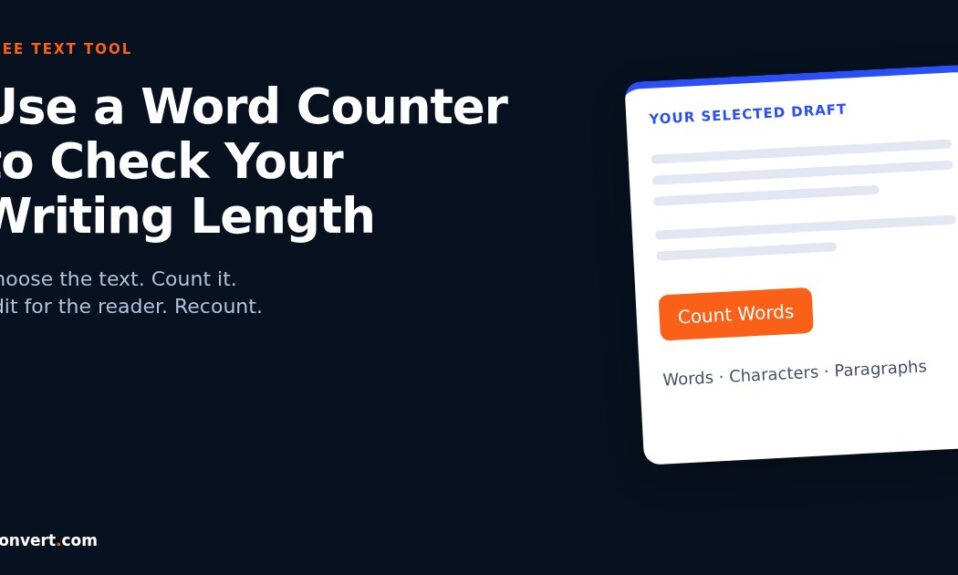
To check a piece of writing, paste it into the word counter tool and click Count Words. The page describes word, character and paragraph counts, which help you measure the text you have selected. I use the result as an editing checkpoint, not a score for the quality of the writing.
The button is the easy part. The useful decisions come before and after it: which text belongs in the count, what the limit actually means and what to remove when a draft is too long. This guide covers those decisions without pretending there is one ideal length for every page.
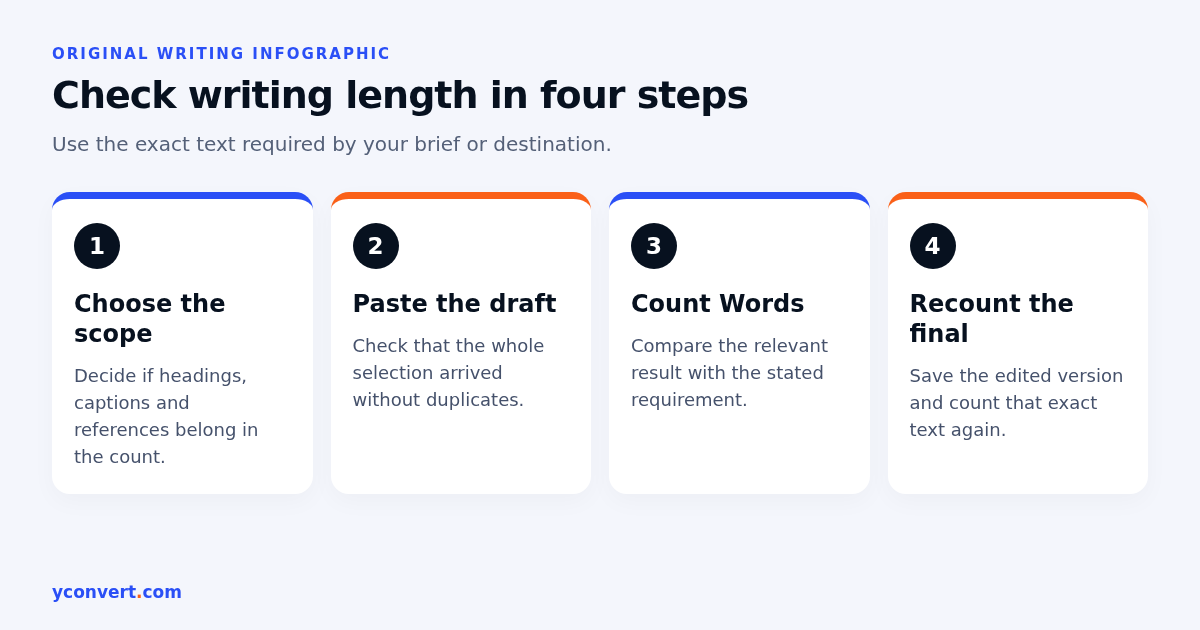
How to use the word counter step by step
Choose the text you actually need to measure
Start with the brief, form instructions or publishing requirement. If the limit applies to the main article, copy the article rather than the whole page. Navigation labels, footer links, comments and related-post teasers can inflate a count without telling you anything about the draft.
For a submission, check whether headings, captions, references and footnotes count towards the limit. Do not guess. A simple note beside the file saying what you included is often enough to prevent a later disagreement.
I keep an untouched copy of the draft before cutting anything. That gives me somewhere to recover a useful explanation if an edit goes too far.
Paste the text into the input box
Open the tool and find the box labelled Enter Text. Paste your selection there. On a computer, copy and paste with your normal keyboard shortcuts. On a phone, select the passage in the document, copy it, then press and hold in the input box to paste.
Scroll through the pasted text before counting. A missed final paragraph or a duplicated section can change the result much more than a punctuation difference. If you copied from a PDF, watch for broken lines and words split across line endings.
Do not paste passwords, private customer records or confidential drafts into an online tool without checking the service’s privacy terms and your own obligations. A free counter is not a reason to ignore a sensitive document’s handling rules.
Click Count Words and read the result
Press Count Words. Read the counts shown for the submitted text and compare the relevant one with your requirement. Words and characters answer different questions, so make sure you are looking at the right measure.
If you edit the text after counting, click the button again. I would not assume that a previous result reflects changes made afterwards. A final recount is a small step that prevents avoidable errors.
Keep the count with the correct version
Save the revised draft and record its count in the same place as the version. A number copied into a message is easy to detach from the text it describes. Label it clearly, such as main body only or full submission including headings.
When another editor changes the document, count that version again. There is no benefit in defending yesterday’s count for today’s copy.
Word count, character count and paragraph count
These measures are related, but I use them for different decisions. A paragraph can contain a single short sentence or a dense block of text. A character count can include details that a word count does not make obvious.
| Measure | What it helps you check | What it cannot tell you |
|---|---|---|
| Words | Length against a writing brief | Whether the explanation is accurate |
| Characters | Space in fields with character limits | Whether the text will fit every visual layout |
| Paragraphs | How the draft is divided | Whether the sequence makes sense |
| Final rendered layout | Readability in the publishing context | Whether the text meets a separate word limit |
For a character-limited field, check whether the destination counts spaces, punctuation or line breaks. Counters can use different conventions. If the destination provides its own validation, that is the check I use for the final submission.
A title is a good example. Its character count is useful, but the space it occupies also depends on the letters, font and display. Our title tag length guide explains why a character target should not become a guarantee about how a search result will appear.
Why two tools sometimes give different totals
A word is not always as simple as a chunk between spaces. Hyphens, apostrophes, numbers, URLs and punctuation can be handled differently by different counters. Text copied from another format can contain unusual spaces or hidden breaks as well.
I do not call a draft wrong just because two counters disagree slightly. First I check that both received the same text. Then I look for the items most likely to be treated differently, especially links and hyphenated terms.
If a publisher, application form or assessment system sets the limit, use its stated method. Leave a little room rather than writing right up to the boundary and hoping the tools agree. Where the instructions are unclear, ask the recipient which count they expect before the submission deadline.
This is also why I avoid claims about a counter’s exact algorithm unless I have verified it. The useful promise here is a repeatable editing check, not universal agreement between every system.
How I cut an overlong draft without losing the point
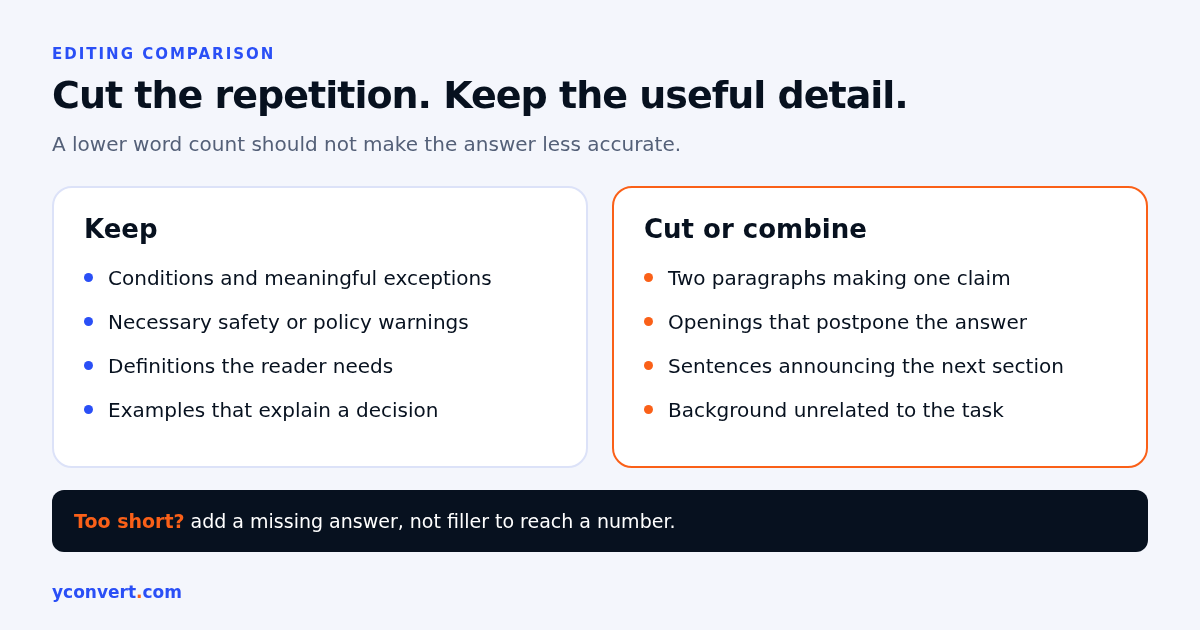
My first cut is usually repetition. Two paragraphs that make the same claim rarely become more persuasive together. I keep the version with the clearest explanation and move any genuinely new detail into it.
Next I inspect the opening. Can a reader find the answer before the background? If not, I move the direct answer up and shorten the lead-in. The answer-first paragraph guide is useful when a draft spends too long announcing what it is about to explain.
Then I remove sentences that merely describe the section around them. A heading saying what to check does not need a paragraph announcing that the following section will discuss what to check. Just begin.
I protect the details that make advice safe and useful: conditions, exclusions, definitions and necessary warnings. Cutting those to hit a number can make the copy misleading. If the requirement and the explanation cannot fit together, the scope needs changing, not just the adjectives.
What I do when a draft looks too short
I ask what the reader still needs, not which paragraph can be stretched. An incomplete answer may need an example, a missing step or an explanation of an exception. A complete answer may need nothing.
For a community theatre describing auditions, a short announcement might omit what to prepare, where to arrive and how accessibility requests are handled. Adding those details helps the applicant. Adding a long history of live performance probably does not.
A seed supplier’s planting guide has a different job. It may need to distinguish between general guidance and conditions that vary by variety or location. I would add verified, relevant instructions rather than padding the page with a repeated introduction.
Those are content decisions. The counter helps me see the size of the revision, but it cannot tell me which facts belong. I read the finished draft aloud before making the last count. If a sentence sounds as though it exists only to meet a target, it probably does.
Useful checks for different kinds of writing
Short descriptions and application fields
A museum volunteer application might ask for a concise statement of interest. I would copy only the response into the counter, keep the relevant experience and remove the greeting if the form already identifies the applicant.
A character limit needs a character check. A word limit needs a word check. I keep those instructions beside the draft so that an attractive rewrite does not accidentally solve the wrong problem.
Instructions and product information
For a packaging manufacturer explaining a custom-order process, I would count the instructions separately from the catalogue specifications. The important question is whether the buyer understands the information needed for a quote, not whether the combined page reaches a large total.
Long specification tables can make a page look substantial while the actual instructions remain vague. Measuring the sections separately makes that imbalance easier to notice.
Search-focused articles
I do not use competitor word counts as a minimum requirement. Pages can cover different intentions even when they mention the same topic. A definition, a troubleshooting guide and a buying comparison should not automatically have the same length.
After checking the count, I compare the draft with its job. Our landing page SEO audit checklist covers broader checks such as relevance, structure and the next step. Those matter more than adding another paragraph to match a rival page.
A final check before you hand the text over
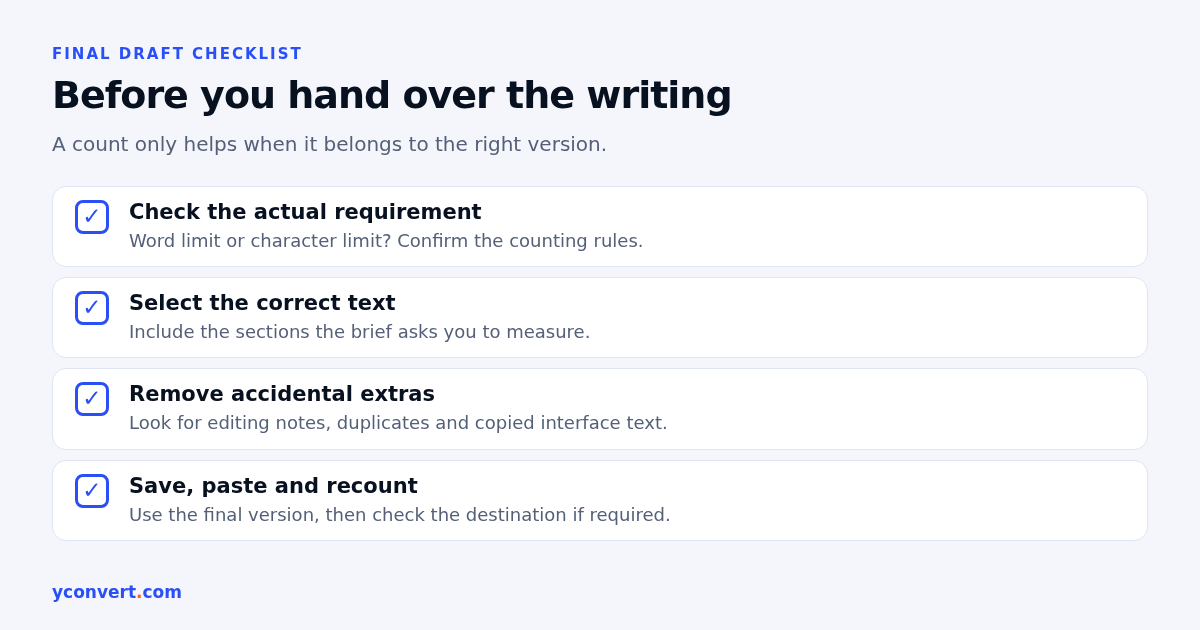
I return to the requirement, paste the exact final version and count it again. Then I check that no editing notes, duplicated headings or copied interface text came along with it. On a phone, I also make sure the selection included the last line.
The counter itself is free. If you later want a broader page review, yconvert’s SEO and AEO audit starts with 1 free credit, then costs $2 per report, 10 reports for $15 or 20 for $20. That is a separate service, not a charge for counting words.
My rule is simple: count to understand the draft, edit to help the reader and count again to check the requirement. A shorter useful explanation beats a longer one that makes someone hunt for the answer.
FAQ
How do I use the word counter tool?
Copy the text you want to measure, paste it into the Enter Text box and click Count Words. Check the relevant result against your writing requirement and recount after making changes.
Is the word counter free?
Yes. The word counter is free. The paid SEO and AEO audit is a separate service and is not required to count your text.
Why is the word count different from another tool?
Tools can handle hyphens, URLs, punctuation and unusual spaces differently. First compare the same text in both tools, then use the method required by the publisher or destination.
Should headings and captions be included in my word count?
Include them if the brief requires it. Different submissions use different rules, so record what your count includes and check the instructions before handing over the final version.
Does a longer article rank better in search?
Length alone does not establish usefulness or guarantee a ranking. Add material when it answers a relevant question, and remove repetition that makes the answer harder to find.
Can I use the word counter on my phone?
Yes. Open the page in your mobile browser, paste the text into the input box and tap Count Words. Check that the full selection was pasted before relying on the result.