Last updated: November 2026
People Also Ask is one of the best free sources for a landing page FAQ, as long as you treat it as a list of clues rather than a script. Search your main keyword, open the questions, write down the ones a real buyer of your service would ask, then check them against what your customers say. Keep the questions that help someone decide, answer each one in a sentence or two, and drop the rest.
That last step is where most FAQs go wrong. I audit a lot of landing pages, and the weak FAQs I find almost always have the same origin story: someone copied the People Also Ask box word for word and called it done.
Why People Also Ask is still worth your time
The box changed this year. When I open questions in it now, the answer underneath is often an AI-written summary with several links, not a single quoted paragraph from one page. So the old goal of “win the PAA box and collect the click” is shakier than it used to be.
The research value hasn’t changed, though. PAA is Google showing you, in plain words, which questions it connects to your topic. That’s still very useful when you’re planning what a page should answer.
A few things I keep in mind when I use it:
- It shows that a question exists, not how many people ask it. There’s no volume attached. A question in the box could be asked a lot or barely at all.
- Google picks the questions, not you. Search Console’s help pages describe People Also Ask as algorithmic suggestions by Google. You can’t mark up your way into it.
- It drifts. Each question you open usually adds a few more below. Open enough of them and you end up far from what you searched. Useful for blog ideas. Mostly noise for a landing page.
- It varies. Different locations, devices and phrasings of the same search can show different questions. One look is a sample, not the full picture.
There’s also a reporting quirk worth knowing. Search Console counts an impression for a link inside a People Also Ask answer only when someone expands that question, and a click only when they click your link inside it. Expanding alone doesn’t count. So if you’re hoping to measure “PAA traffic” separately, you mostly can’t. I’ve stopped trying.
PAA questions vs your customers’ questions
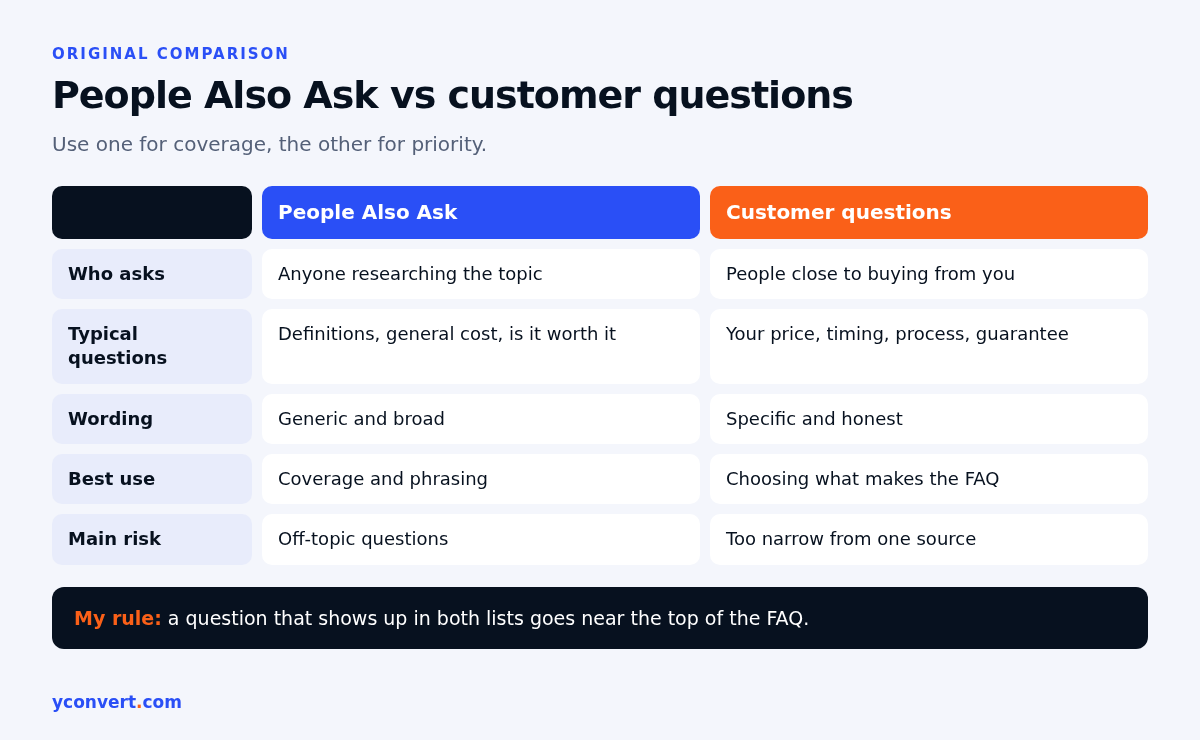
Here’s the thing I tell every client. PAA tells you what the searching public wonders about. Your inbox tells you what stops your buyers from booking. Those overlap, but they are not the same list, and the second one matters more on a page that sells something.
| People Also Ask | Your customers’ questions | |
|---|---|---|
| Who’s asking | Anyone searching the topic, including researchers and students | People close to buying from you |
| Typical questions | Definitions, “how much does X cost”, “is X worth it” | Your price, your timing, your process, your guarantee |
| Wording | Generic, often broad | Specific, sometimes awkward, very honest |
| Best use | Spotting angles you forgot, matching how people phrase things | Choosing which questions actually make the FAQ |
| Main risk | Off-topic questions that dilute the page | Too narrow if you only ask one person |
I use PAA for coverage and phrasing. I use the customer list for priority. If a question shows up in both, it goes near the top of the FAQ. No debate.
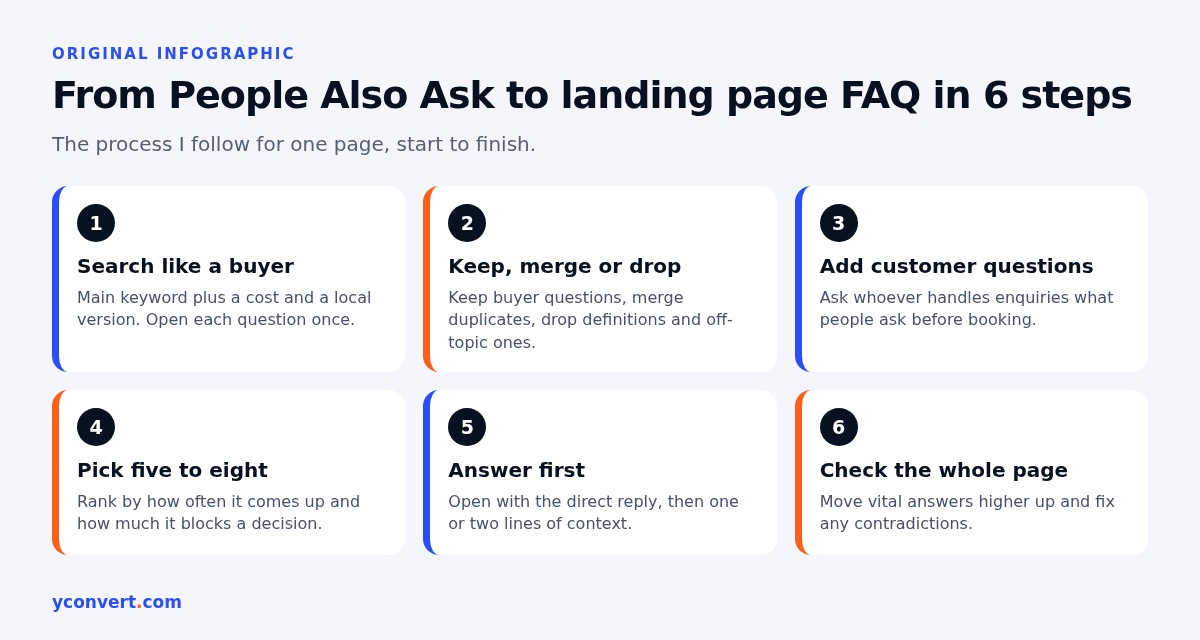
How I turn People Also Ask into a landing page FAQ
This is the process I follow for one page. It needs a browser, a spreadsheet or notes file, and about an hour.
1. Search like a buyer, not like an SEO
Start with your main keyword. Then search two or three versions a real customer might type, including one with a location if you serve a local area. A solar panel installer might check the core service phrase, a “cost” version and a “near me” version. Open every question in each box once. Don’t keep clicking into the third and fourth layer.
Copy the questions exactly as written. The wording is half the value.
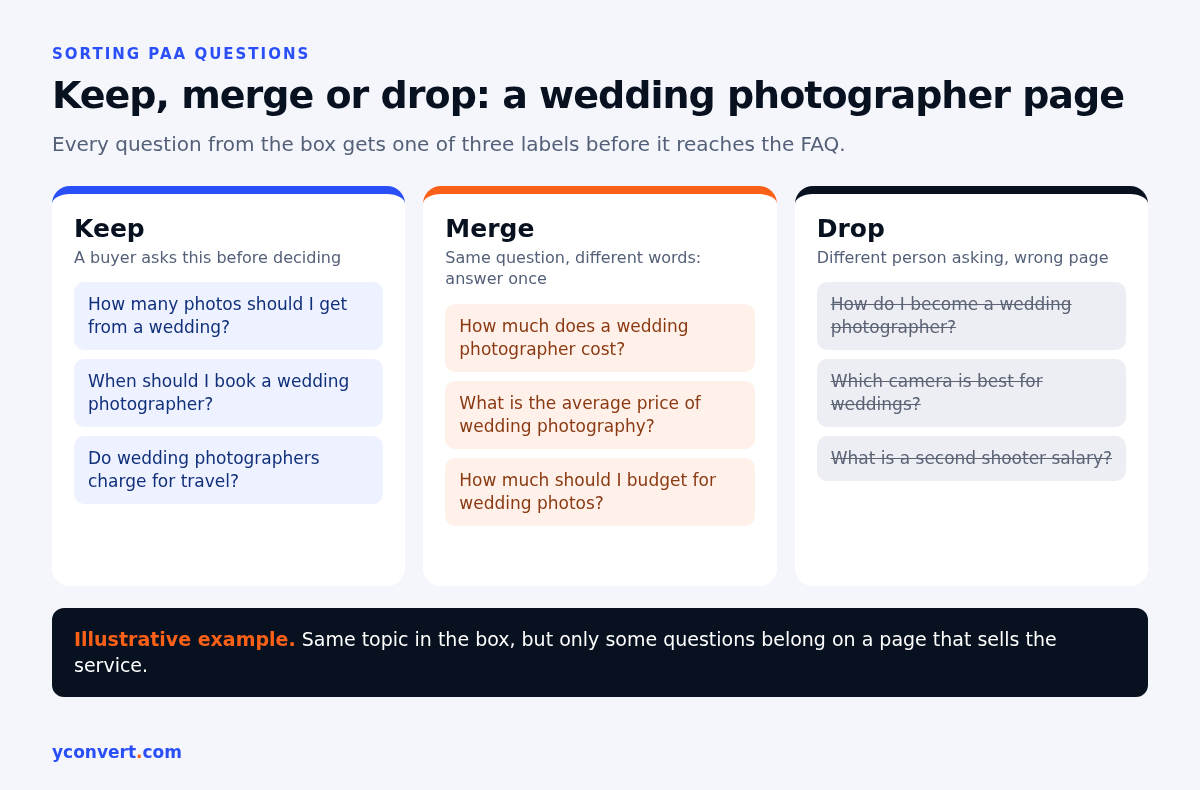
2. Sort every question into keep, merge or drop
This is the step people skip, and it’s the one that makes the FAQ good. Go down the list and be blunt:
- Keep it if a buyer of this specific service would ask it before deciding.
- Merge it if it’s the same question as another one in different words. “How much does it cost” and “what’s the average price” become one question.
- Drop it if it’s a definition, a career question, a question about a competitor’s product, or something your page has no business answering.
Say a wedding photographer pulls PAA for their main service page. Questions like “how many photos should I get from a wedding”, “when should I book a photographer” and “do photographers charge for travel” are keepers. “How do I become a wedding photographer” and “which camera is best for weddings” get dropped. Same topic. Completely different person asking.
3. Add the questions PAA will never show you
Now go to the people who talk to customers. Whoever answers the phone, the enquiry form, the chat. Ask them one thing: what do people ask right before they book, or right before they go quiet?
An accounting firm’s front desk will tell you about deadlines, what documents to bring, and whether the first call is free. Those rarely show up in a PAA box, because they’re about this firm, not accounting in general. They’re also the questions that decide whether the enquiry happens.
Honestly, if I had to pick only one source, I’d pick this one over PAA every time.
4. Pick the five to eight that matter most
A landing page FAQ isn’t a help centre. I aim for roughly five to eight questions. More than that and it turns into a wall people scroll past, which also makes it harder for any system to find the one clean answer it needs.
Rank by two things: how often the question comes up, and how much it blocks a decision. A question that comes up constantly and stops sales goes first. A curious-but-harmless question can wait or go.
5. Write the answer first, then the detail
Each answer should open with the direct reply. Yes, no, a range, a timeframe, the actual fact. Then a sentence or two of context if needed. I’ve written a whole guide on the answer-first paragraph, and FAQ answers are where that habit pays off most, because each one is basically a tiny standalone answer.
A roofing contractor answering “how long does a roof replacement take?” should lead with the typical timeframe for their usual job size, then mention what stretches it, like weather or extra repairs found once the old roof is off. Not two paragraphs about their history first.
If you don’t have a fixed answer, say what it depends on. That’s still an answer. Inventing a number isn’t.
6. Check the questions against the rest of the page
Last step, and the one that catches the silliest mistakes. If a question is so important that most visitors have it, it probably shouldn’t live only in the FAQ. Put the answer higher up too, near the pricing or the main call to action, and keep a short version in the FAQ.
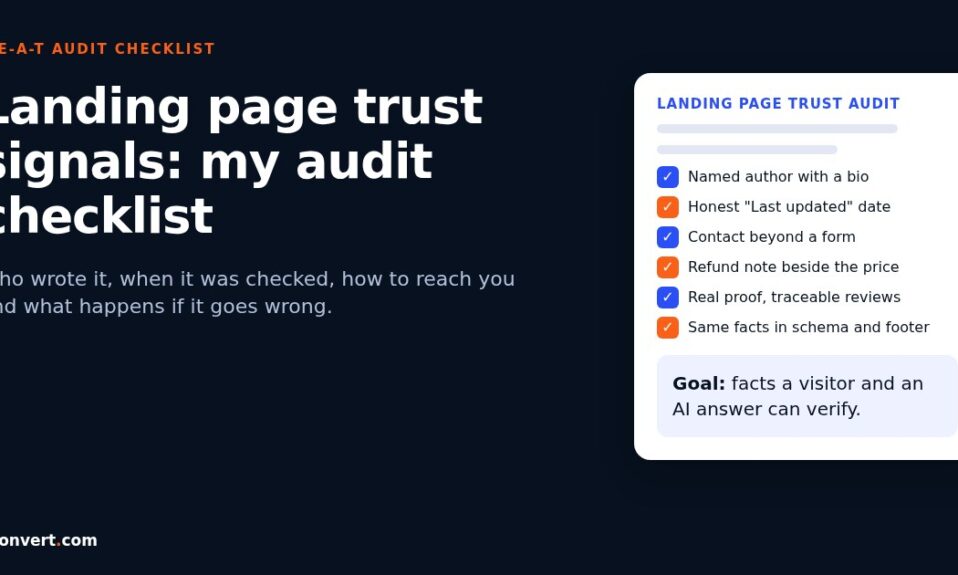
Also check for contradictions. I regularly find FAQs saying one turnaround time while the hero section says another. That kind of mismatch quietly costs trust, and it’s one of the things I look for in a landing page trust signals audit.
Where People Also Ask fits with AI answers
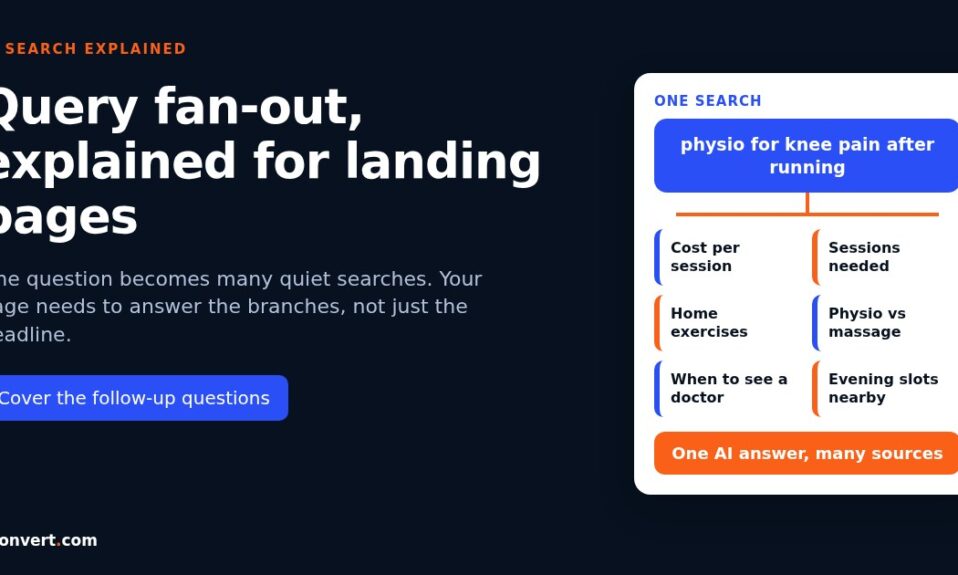
PAA questions and the follow-up searches AI systems run for a topic often look alike. When I map what I call fan-out branches for a page, the PAA box is one of the first places I look, alongside related searches and the headings of the top results. I’ve gone through that mapping method in my post on query fan-out for landing pages.
So a well-planned FAQ does double duty. It answers the buyer standing in front of the page. And it gives AI search a clean, quotable answer for the sub-questions it might be checking. No guarantee of a citation, of course. Nobody can promise that. But a page that answers the real questions clearly has a much better shot than one that doesn’t.
What about FAQ schema?
Short version: add FAQPage markup if it matches a real, visible FAQ, and don’t expect it to do much on its own. Google no longer shows FAQ rich results, and its guidance on AI features says no special schema is needed to appear in them. The visible questions and answers are what get read.
I’ve covered when to keep the markup and when to remove it in does FAQ schema still help in 2026. The one rule I’d repeat here: whatever is in the markup must match what visitors can actually see on the page.
Mistakes I see with PAA-based FAQs
Copying the box verbatim. You get generic questions with generic answers, the same ones on every competitor page. A language school’s FAQ that answers “what is the hardest language to learn” isn’t helping anyone book a course.
Answering the question nobody on your page has. An IT support company for small offices doesn’t need “what does IT stand for”. It needs “what happens if our server goes down on a weekend?”
Going too deep into the box. By the fourth layer of clicks, the questions belong on a blog, not a sales page. If one of them is genuinely good, write it up as a separate post and link to it.
Writing marketing instead of answers. “We pride ourselves on flexibility” is not an answer to “can I change my moving date?” A removals company that says “yes, free of charge up to a set number of days before, and after that a rebooking fee applies” has answered it. Specific beats warm.
Never revisiting it. Prices change, services change, and the questions change with them. I re-check the PAA box and the inbox for money pages every few months, and I usually find one question to swap.
Get the questions pulled for you
If you’d rather skip the manual digging, our AI SEO and AEO audit tool checks one landing page against one keyword and shows the People Also Ask questions your page doesn’t answer yet, plus competitor gaps and AI citation status. Your first report is free with 1 credit. After that it’s $2 per report, or 10 reports for $15 and 20 for $20.
FAQ
How do I find People Also Ask questions for my keyword?
Search your main keyword in Google and look for the box of expandable questions, usually a little way down the first page. Open each question once and note it down. Repeat for two or three variations a buyer might type, such as a cost version or a local version.
How many People Also Ask questions should go into a landing page FAQ?
Only the ones a real buyer would ask before deciding. For most landing pages that ends up as roughly five to eight questions in total, mixing the best PAA questions with the ones your customers ask directly.
Can I get my page shown in People Also Ask?
You can’t choose it. Google picks the questions and the sources. What you can do is answer the real questions clearly, with the direct answer first, which helps both readers and any search feature that looks for a clean answer.
Should I copy People Also Ask questions word for word?
Keep the phrasing when it matches how your customers talk, because that wording is useful. But filter hard, merge duplicates and drop anything off-topic. A copied box usually produces a generic FAQ that could sit on any competitor’s page.
Do People Also Ask clicks show up in Search Console?
Partly. Search Console counts an impression for your link only when someone expands the question, and a click only when they click your link inside it. That traffic sits within the normal Performance report rather than in a separate PAA report.