Last updated: November 2026
Landing page trust signals are the plain facts that show a visitor, and an AI system, who stands behind a page. Who wrote it. When it was last checked. How to reach a real person. What happens if the purchase goes wrong. When I audit a page, I look for four of them first: a named author or owner, an honest updated date, a contact route beyond a form, and a refund or cancellation note near the price. Most pages I see have one or two. Very few have all four.
That gap matters more now than it did a couple of years ago. Answer engines pick sources they can verify. A page that hides who runs it gives them very little to go on.
Below is the checklist I actually work through, in the order I work through it.
Why trust signals matter for AI answers
Google has been clear that trust is the most important part of E-E-A-T, and that E-E-A-T isn’t a single ranking factor you can switch on. Fair enough. But in practice, when an AI Overview or chat answer has to choose between two pages saying similar things, the one with a visible person, a date and a business behind it is the easier pick.
Think about it from the system’s side. It’s about to repeat your words to someone. If your page says “our experts recommend” with no expert anywhere, that’s a risk. If it says the advice comes from a named installer with fifteen years on rooftops, and the page was reviewed last month, the claim has something to stand on.
I don’t treat this as a trick. A visitor deciding whether to fill in your form asks the same questions. Who are these people? Is this current? Can I get my money back?
The four signals I check first
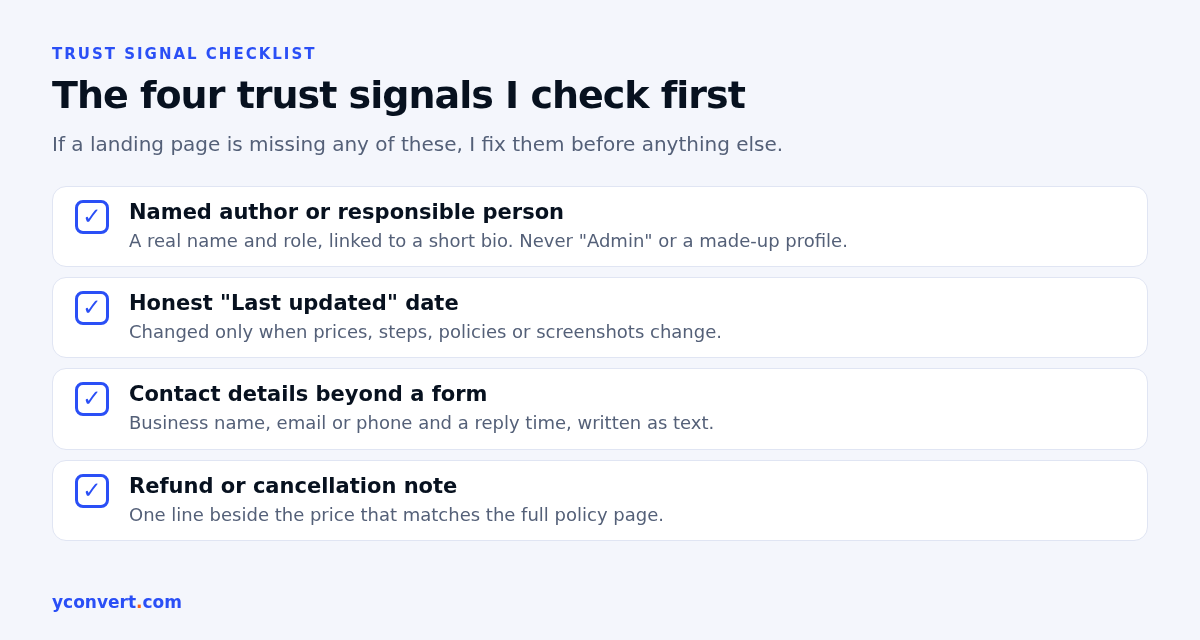
1. A named author or responsible person
Not “Admin”. Not “Team”. A real name, a role and one or two lines on why that person knows the subject.
Say a solar installer has a landing page about panel sizing for homes. The strongest version names the engineer who signs off the system designs and links to a short bio page. The weakest version has no name at all, just a stock photo of smiling people on a roof.
Two things I check here:
- Does the byline click through to a page with more about the person?
- Is the person real and actually involved? A made-up profile is worse than none. Fabricated names, AI headshots and invented credentials are treated as deception, and I’d agree with that.
For service pages, the “author” can be the business owner or the lead professional. An accounting firm’s tax filing page doesn’t need a blog-style byline. It does need a line like “Reviewed by” followed by a qualified partner’s name.
2. An honest updated date
A “Last updated” line tells the reader the information is being looked after. It only works if it’s true.
I’ve seen sites bump every date to this month with a plugin, while the content still mentions last year’s prices. That’s a warning sign, not a freshness signal. My rule is simple: change the date when the facts on the page change. Prices, steps, policies, screenshots. Fixing a typo doesn’t count.
For an online furniture store, the delivery and assembly page is a good test. If the date says November but the page still lists a delivery zone they dropped months ago, a customer will notice. So will anything comparing your page against other sources.
3. Contact details beyond a form
A form alone tells the visitor nothing about whether a human will reply.
What I want to see, as visible text and not only inside a map embed:
- The legal or trading business name
- A physical address, or at least the city and country if it’s an online business
- An email address or phone number
- Support hours or a realistic reply time, if you can keep it
A SaaS invoicing tool doesn’t need a street address on every page. It does need a reachable support email and a clear company name in the footer, so a buyer can check who they’re paying.
4. A refund or cancellation note near the price
This is the one most pages skip, and in my audits it’s often the quickest win.
The full refund policy can live on its own page. But the short version should sit right next to the price or the main button. One sentence is enough. “Cancel any time before your next billing date.” “Deposit refundable up to 30 days before the event.”
A wedding photographer’s booking page is a good example. Couples worry about dates moving. A plain line about what happens to the deposit if the date changes answers the biggest objection before it becomes a reason to leave.
Then check the two versions match. A refund window that says 14 days on the pricing page and 7 days in the terms is a trust problem with money attached.
Supporting signals worth checking
The four above carry most of the weight. These come next.
- Real proof near the call to action. Actual screenshots, a sample report, photos of real work. Not stock images.
- Reviews you can trace. Reviews that link to or match a public profile. No anonymous five-star quotes with a first name only.
- Policy pages that are linked and current. Privacy, terms and refunds in the footer, with no references to services you’ve stopped offering.
- Consistent business facts. The same name, address and phone on the page, the footer, the contact page and your business profiles.
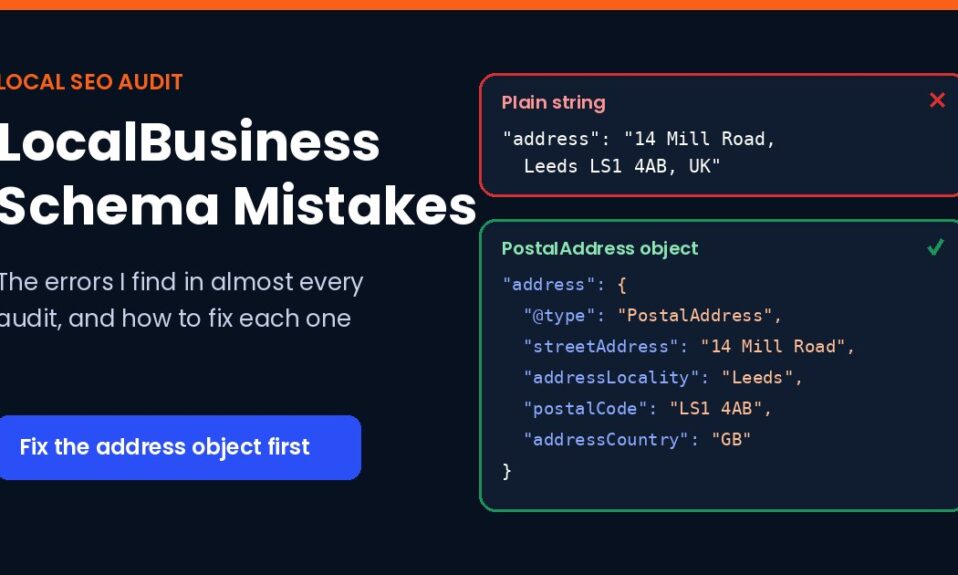
- Markup that matches the page. If you use Organization or LocalBusiness schema, the values must match what’s visible. I’ve listed the usual errors in my post on LocalBusiness schema mistakes.
- A title that doesn’t oversell. “Guaranteed results” in the title and nothing to back it up on the page undermines everything else. My notes on title tag length for AI search cover how to keep titles plain and specific.
Weak vs strong: what the difference looks like
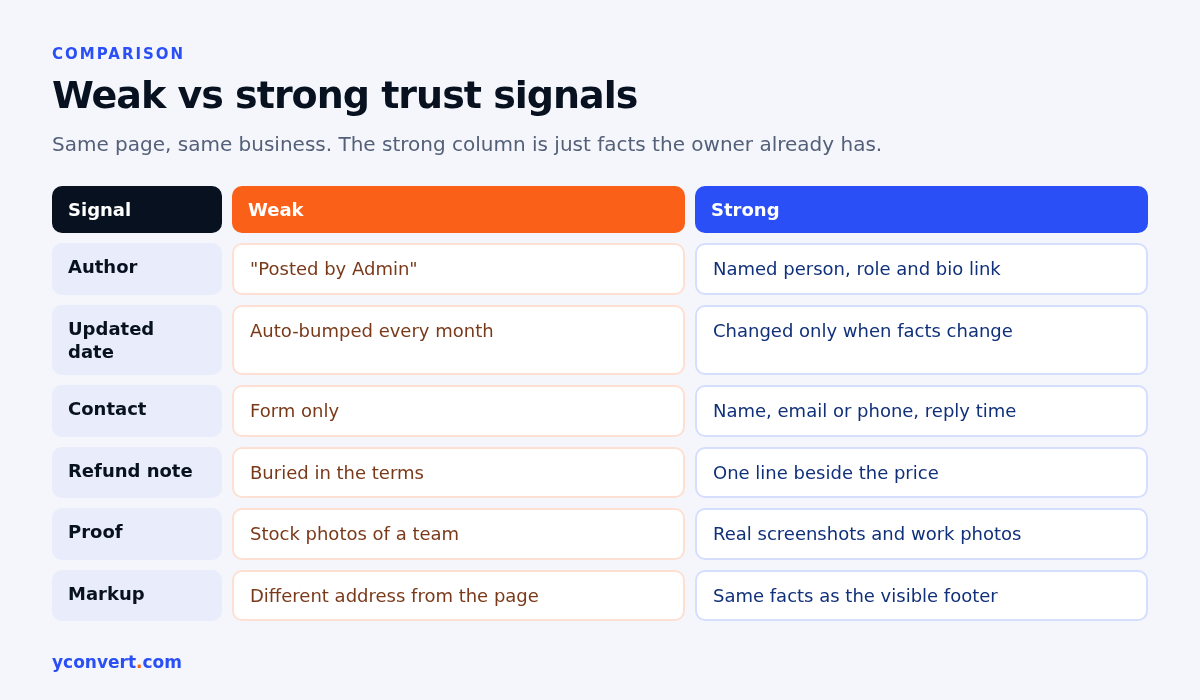
| Signal | Weak version | Strong version |
|---|---|---|
| Author | “Posted by Admin” | Named person, role, link to a short bio |
| Updated date | Auto-bumped every month | Changed only when facts change |
| Contact | Form only | Business name, email or phone, reply time |
| Refund note | Buried in the terms | One line beside the price, matching the terms |
| Proof | Stock photos of a team | Real screenshots or photos of actual work |
| Reviews | Unnamed quotes | Reviews that match a public profile |
| Markup | Different address from the page | Same facts as the visible footer |
An immigration consultant is a useful case because the stakes are high for the reader. Visa advice is the kind of topic where accuracy really matters. A page with no named adviser, no registration details and no date is a hard sell to a nervous applicant, and an AI system has every reason to prefer a source that shows those things.
My 20-minute trust signal audit
This is the order I use on a single landing page, eight steps in all. It fits in about twenty minutes once you’ve done it a few times.
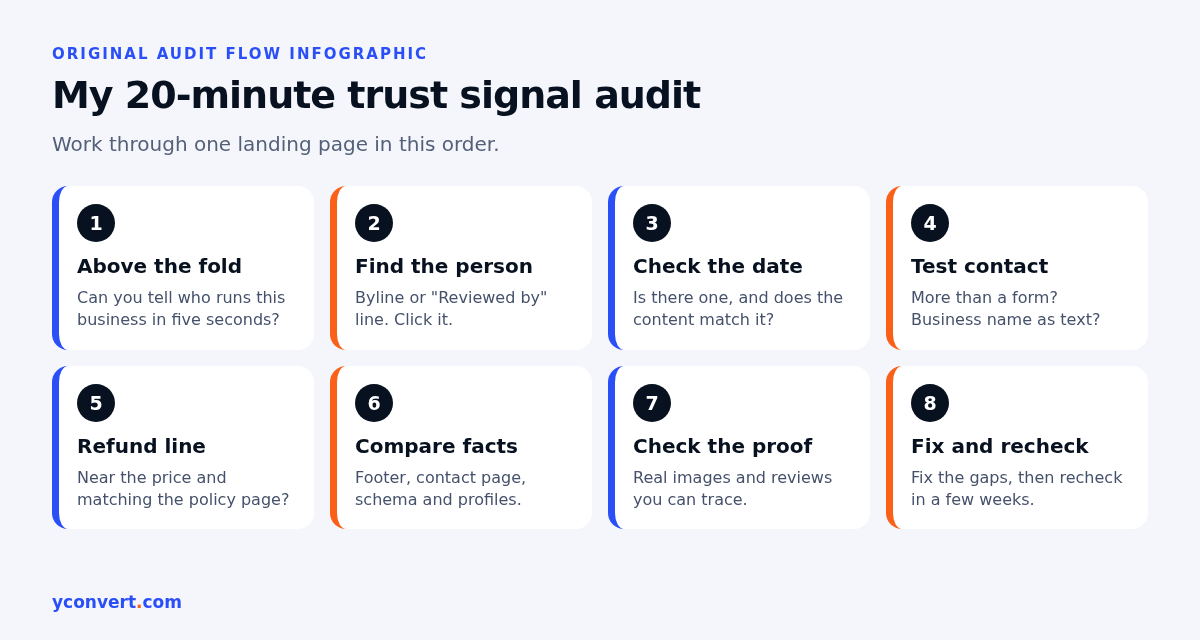
- Look above the fold. Can you tell who runs this business within five seconds? Name, logo, what they do.
- Find the person. Byline, “Reviewed by” line or owner name. Click it. Does it go somewhere useful?
- Check the date. Is there one? Does the content match it?
- Test the contact route. Is there more than a form? Is the business name written as text?
- Find the refund or cancellation line. Is it near the price? Does it match the policy page?
- Compare facts across the site. Footer, contact page, schema and business profile. Write down any differences.
- Check the proof. Are images real? Can the reviews be traced?
- Fix and recheck. Fix the gaps you found, then look at the page again in a few weeks.
Take a pest control company’s “termite treatment” page. A typical run through this list finds a phone number, no name, no date and a guarantee mentioned once in the headline with no terms anywhere. That’s three fixes in an afternoon, and none of them need new content. Just facts the business already has.
For the rest of the page, things like headings, intent and internal links, I follow my full landing page SEO audit checklist.
Mistakes that do more harm than good
Some “trust” additions backfire.
Fake badges. “As seen on” logos for outlets that never mentioned you. Remove them.
Invented reviews. Easy to spot, and the damage lasts longer than the boost.
Date bumping. Covered above. Don’t.
Generic team pages. A language school with a “Meet our teachers” page full of stock photos is worse off than one with three real teachers and a line each about what they teach. Real beats polished.
Hiding the price. Not always possible to show one. But if you can give a range or a starting point, do. A page that makes people call just to learn the basics feels like it’s holding something back.
How to tell if it’s working
Trust fixes are slow to show in rankings. I don’t expect a jump the next week. What I watch is whether the page starts appearing as a source for the questions it answers, and whether enquiries mention the things we added, like the refund line.
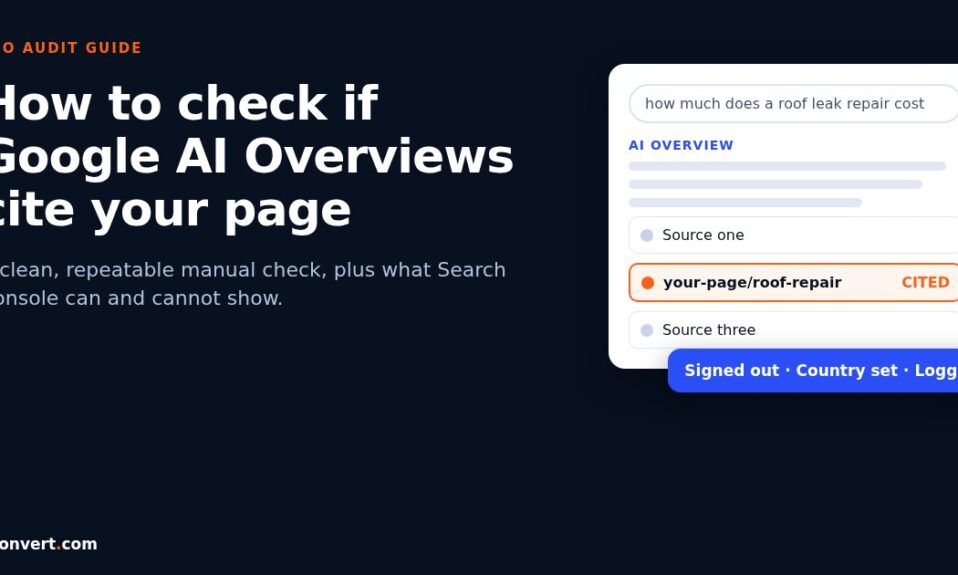
If you want a repeatable way to see whether answer engines pick the page up, I use the method in how to check if Google AI Overviews cite your page. Run it before the fixes and again a few weeks after.
Get a second pair of eyes on one page
If you’d rather not run the checklist by hand, our AEO and SEO audit tool checks one URL against one keyword, including the trust signals covered here, and lists what to fix first. Your first report is free with 1 credit. After that it’s $2 per report, or 10 reports for $15 and 20 for $20. No subscription.
FAQ
What are landing page trust signals?
They are visible facts that show who is responsible for a page and how to deal with them: a named author or owner, an honest updated date, real contact details, a refund or cancellation note, genuine proof and consistent business information.
Do trust signals help with AI Overviews and AI answers?
They help indirectly. E-E-A-T is not a single ranking factor, but AI answers tend to favour sources whose claims can be checked. A page that shows who wrote it, when it was reviewed and which business stands behind it gives them more to verify.
Where should a refund note go on a landing page?
Put a one-line summary right next to the price or the main call to action, and link to the full policy. Make sure the short line and the full policy say the same thing.
How often should I change the updated date?
Change it when the facts on the page change, such as prices, steps, policies or screenshots. Bumping the date without real changes can look misleading to both visitors and search systems.
Does every landing page need an author byline?
Not a blog-style byline, but every page should make clear who is responsible for it. On a service page, a “Reviewed by” line with a named professional, or the owner’s name and role, does the same job.