Last updated: November 2026
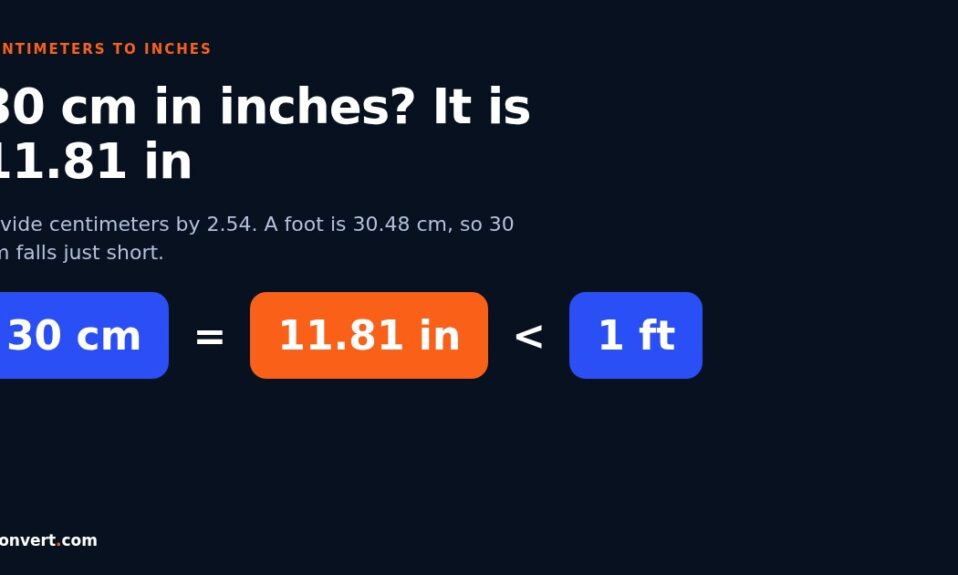
30 cm is 11.81 inches. That’s a little short of a foot, which is 12 inches or 30.48 cm. To turn any centimeter value into inches, divide it by 2.54, because one inch has been defined as exactly 2.54 cm since 1959.
I keep getting the 30 cm question in odd places. A school ruler. A photo print. A cushion cover on a shopping site. And almost every time, the person asking already suspects the answer is “about a foot” and wants to know whether “about” is good enough. Sometimes it is. Sometimes it absolutely isn’t.
If you want the full method with worked examples and spreadsheet formulas, my main guide on how to convert centimeters to inches walks through it step by step. This page sticks to the everyday questions people actually type in.
What is 30 cm in inches, worked out
Here’s the arithmetic, so you can check it on your phone.
30 ÷ 2.54 = 11.811 inches.
If you prefer multiplying, use 0.3937 instead: 30 × 0.3937 = 11.811. Same result. Most people round it to 11.8 in, and for anything you’ll cut or sew, 11 13/16 in is the closest common ruler mark (11.8125 in).
For a fast answer, the cm to inches converter does the division for you and shows the decimals, which matters when you’re comparing two product listings that are only a few millimeters apart.
Is a 30 cm ruler the same as a 12 inch ruler?
No. Close, but no.
A 12 inch ruler is 30.48 cm long. So a ruler printed with 30 cm on one edge and 12 inches on the other is either a bit longer than 30 cm or it stops short of the full 12 inches. Check the ends next time you pick one up. You’ll usually see the inch scale run slightly past the last centimeter mark.
That half centimeter doesn’t matter when you’re underlining a heading. It does matter when you’re measuring a shelf gap for a cabinet that has to slide in. I’ve seen people order furniture based on “a foot is 30 cm” and then lose a weekend trying to make it fit.
Common centimeter values in inches
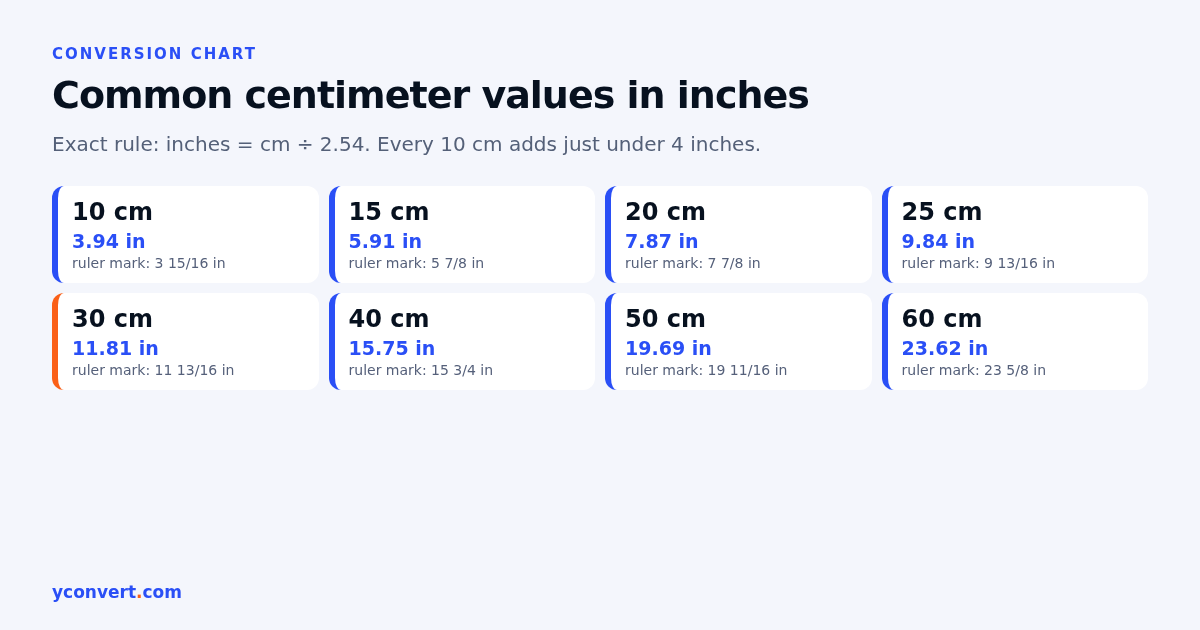
These are the numbers I see asked about most, worked out with the exact 2.54 rule and rounded to two decimals.
| Centimeters | Inches (decimal) | Nearest ruler mark |
|---|---|---|
| 10 cm | 3.94 in | 3 15/16 in |
| 15 cm | 5.91 in | 5 7/8 in |
| 20 cm | 7.87 in | 7 7/8 in |
| 25 cm | 9.84 in | 9 13/16 in |
| 30 cm | 11.81 in | 11 13/16 in |
| 40 cm | 15.75 in | 15 3/4 in |
| 50 cm | 19.69 in | 19 11/16 in |
| 60 cm | 23.62 in | 23 5/8 in |
| 100 cm | 39.37 in | 39 3/8 in |
Notice the pattern. Every 10 cm adds just under 4 inches. That’s the easiest way to sanity check a conversion in your head: if 50 cm comes out as 25 inches, something went wrong.
Why do sizes that look the same not fit?
This is the question behind most of the angry product reviews I read. Two items are labelled with sizes that feel identical, and they aren’t.
Take a picture framer’s shop. A customer brings in a 30 × 40 cm print and picks a frame labelled 12 × 16 inches. On paper that sounds like a match. In reality the frame opening is 30.48 × 40.64 cm, so the print sits loose with a few millimeters of gap on two sides. Not a disaster with a mount around it. Very visible without one.
Paper is the same story. A4 sheets are 21 × 29.7 cm, which is about 8.27 × 11.69 inches. US Letter is 8.5 × 11 inches, or 21.59 × 27.94 cm. So A4 is narrower and taller. If a print shop sets up a flyer for Letter and the customer’s printer is loaded with A4, the bottom gets extra white space and the sides can get clipped.
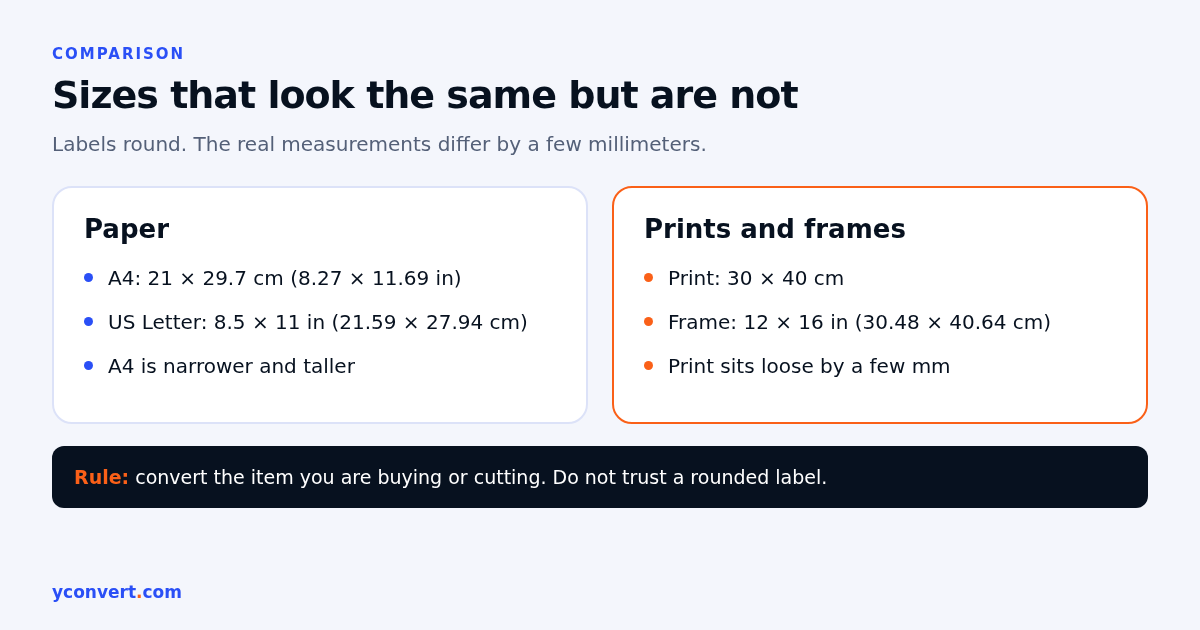
My rule here: when two systems are involved, convert the one you’re actually buying or cutting, and don’t trust a label that rounds.
How do I convert cm to inches without a calculator?
Divide by 2.5, then nudge the answer up a little.
Here’s why it works. 2.5 is easy to divide by (it’s the same as multiplying by 4 and dividing by 10), and it’s only slightly smaller than 2.54. So the quick answer always comes out a touch high.
- 30 cm: 30 × 4 = 120, then ÷ 10 = 12. Real answer 11.81. About 1.6% high.
- 45 cm: 45 × 4 = 180, ÷ 10 = 18. Real answer 17.72.
- 80 cm: 80 × 4 = 320, ÷ 10 = 32. Real answer 31.50.
For a rough idea in a shop, that’s fine. For anything that has to fit, use the exact division.
Should I round to decimals or fractions?
It depends on who reads the number next.
A tailor or someone doing alterations in a clothing store will think in fractions, usually down to 1/8 or 1/16 of an inch, because that’s what the tape shows. One sixteenth of an inch is about 1.6 mm, so rounding to the nearest 1/16 keeps you within a millimeter either way. Good enough for a hem.
An online store writing product dimensions should usually show one decimal place in inches, with the centimeter value next to it. Something like “30 cm (11.8 in)”. Shoppers in different countries can each read their own unit, and nobody has to guess.
Engineers and anyone in manufacturing should keep at least two decimals and stick to one unit through the whole job. The mistakes I’ve seen most often come from converting halfway through a drawing, then converting back later and picking up rounding errors twice.
Why does my word processor show margins in cm or inches?
Because it follows your region settings, not the document. A file made on a laptop set to the US shows margins in inches. Open it on a machine set to the UK or India and you may see the same margin in centimeters. Nothing about the page changed.
Most word processors let you pick the unit yourself. In Microsoft Word on Windows it sits under File, then Options, then Advanced, in the Display section, where you can choose the unit for measurements. A one inch margin is 2.54 cm, and a 2.5 cm margin is 0.98 inches, which is why a template made in one country can look very slightly off in another.
What about screens and TVs?
Screens are sold in inches almost everywhere, even in countries that use metric for everything else. And the number is the diagonal, corner to corner. Not the width.
So a 15.6 inch laptop has a diagonal of about 39.6 cm. A 55 inch TV is about 139.7 cm across the diagonal. If an electronics retailer quotes the cm figure, that’s still the diagonal, and you’ll need the actual width and height from the spec sheet before you measure the wall or the bag.
Measuring something yourself, then converting
Most bad conversions start with a bad measurement. So before you even touch the math, it helps to measure the same way every time.
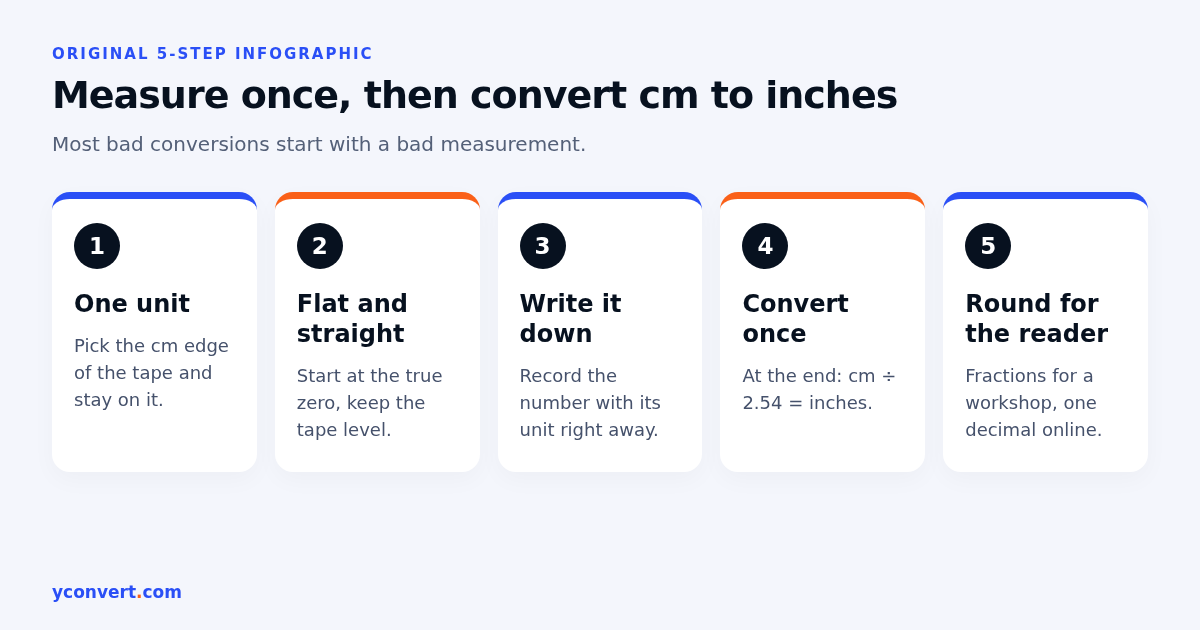
- Measure in one unit only. If your tape shows both, pick one edge and stay on it.
- Hold the tape flat and straight, starting at the true zero, not the metal tab if it wobbles.
- Write the number down with its unit straight away.
- Convert once, at the end, with cm ÷ 2.54.
- Round for the person who’ll use it: fractions for a workshop, one decimal for a product page.
An interior designer measuring a window for curtains is a good example. Measure the width in centimeters, add the overlap you want, then convert the final figure once if the fabric supplier works in inches. Converting each measurement separately and adding the rounded inches is how you end up a few centimeters short.
If you need the reverse
Going the other way is just as common, especially for screen sizes and imported tools. My guide on converting inches to centimeters covers that direction, and if your question is about height in feet and inches, the height conversion questions page handles the 5 ft 11 in versus 6 ft debates.
FAQ
How many inches is 30 cm?
30 cm is 11.81 inches, worked out by dividing 30 by 2.54. As a ruler fraction it is about 11 13/16 inches.
Is 30 cm exactly one foot?
No. One foot is 12 inches, which is 30.48 cm. So 30 cm is about 0.19 inches, or nearly 5 mm, shorter than a foot.
What is the formula for cm to inches?
Inches = centimeters ÷ 2.54. You can also multiply by 0.3937, which gives the same answer to a few decimal places.
Is A4 paper the same as 8.5 x 11 inches?
No. A4 is 21 × 29.7 cm, about 8.27 × 11.69 inches. US Letter is 8.5 × 11 inches. A4 is slightly narrower and taller.
How many inches is 100 cm?
100 cm, or one meter, is 39.37 inches. That’s a little more than 3 feet 3 inches.
Quick check before you buy or cut
If a size matters, run it through the cm to inches tool and compare the decimals, not the labels. It takes a few seconds and saves a return.
And if you run a site that lists product sizes or how-to content like this, our AEO and SEO audit starts with 1 free credit, then $2 per report, or 10 reports for $15 and 20 for $20, so you can see whether answer engines are picking up pages like yours.