Last updated: November 2026
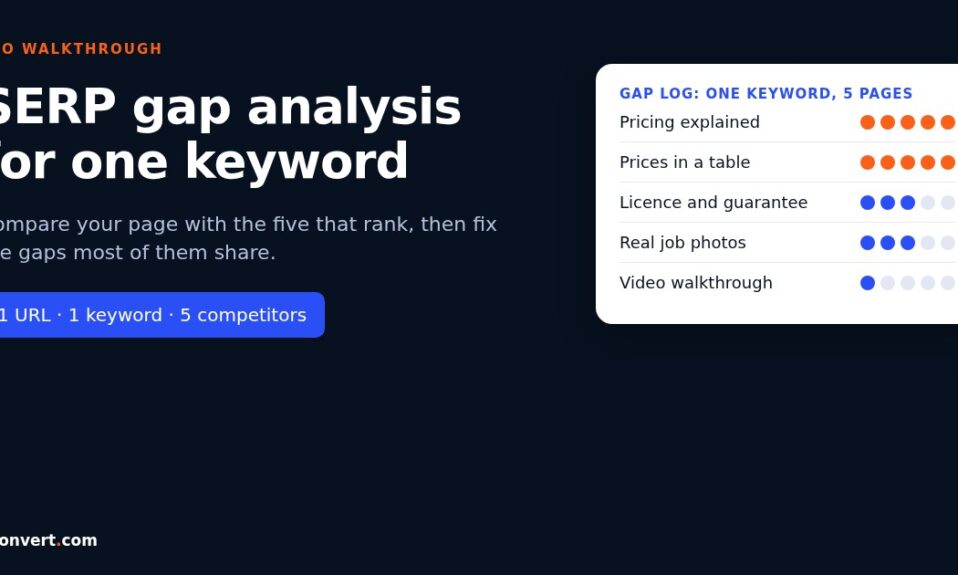
A SERP gap analysis compares your page with the pages that already rank for one keyword, so you can see exactly what they cover, show or prove that you don’t. You search the keyword, log the top five organic results, list the subtopics, formats and trust details each one has, then mark which of those your page is missing. The gaps that show up on most of the ranking pages are the ones to fix first. The rest are optional, and some are traps.
That’s the short version. The longer version is below, because the way most people run this goes wrong in the same two or three places.
Why I do this for one keyword at a time
Site-wide gap reports are useful for planning. For fixing a specific page, they’re noise. You get a spreadsheet with hundreds of keywords your competitors rank for, and none of it tells you why this page sits at position nine for this query.
So I narrow it right down. One URL. One keyword. Five competitors. It takes me under an hour once the template is set up, and it needs nothing more than a browser in a private window, a spreadsheet and a bit of patience.
One opinion up front: I don’t count words. Google’s own guidance on helpful content says plainly that it has no preferred word count, and I’ve seen short pages beat long ones for years. Length is an outcome of coverage, not a target.
The walkthrough, step by step
I’ll use one running example so this doesn’t stay abstract. Say a pest control company has a service page for “termite treatment cost” and it’s stuck on page two. Here’s how I’d run the analysis.
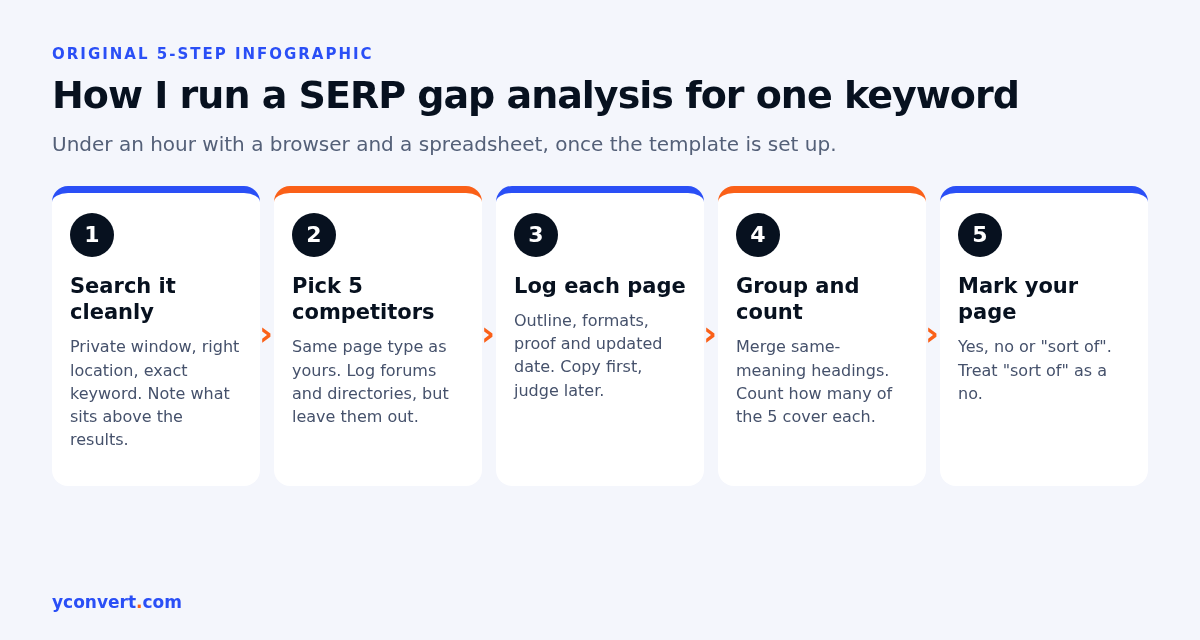
1. Search the keyword the way a customer would
Open a private window, set the right location if the business is local, and type the keyword exactly. No extra words. Before you click anything, note what Google shows above the organic results. An AI Overview? A map pack? People Also Ask? Videos?
That first screen is a gap in itself. If the results page is mostly local listings and your page reads like a national article, you have an intent problem, not a content problem. No amount of extra headings fixes that.
2. Pick five real competitors
Take the top five organic pages that match your page type. Skip directories, giant marketplaces and forum threads for the comparison table, but write down that they’re there. A forum thread ranking for a money keyword tells you people want honest, first-hand answers. Worth knowing.
For the termite example, I’d expect a mix: a couple of local operators, a national chain’s cost guide, maybe a home improvement publisher.
3. Log what each page actually does
This is the slow bit. For each result I record:
- The page type (service page, guide, comparison, calculator)
- The H2 and H3 outline, copied as written
- Formats used: tables, numbered steps, FAQ, photos, video, calculator
- Proof: prices, guarantees, licences, real photos, named staff, reviews
- The visible updated date, if there is one
Don’t summarise yet. Just copy. I learned the hard way that summarising while collecting makes you see what you expected to see.
4. Group the subtopics and count them
Now merge headings that mean the same thing. “How much does termite treatment cost?” and “Termite treatment prices” become one row. Then count how many of the five pages cover each row.
I set my thresholds before I start counting, and I’d urge you to do the same. Mine are simple. Four or five of five is expected coverage. Two or three is worth a look. One is someone’s angle, not a rule.
5. Mark your own page against the list
Add a column for your page. Yes, no, or “sort of”. Be harsh with “sort of”. A single line mentioning price ranges isn’t the same as a table that explains what changes the price.
What a gap table looks like
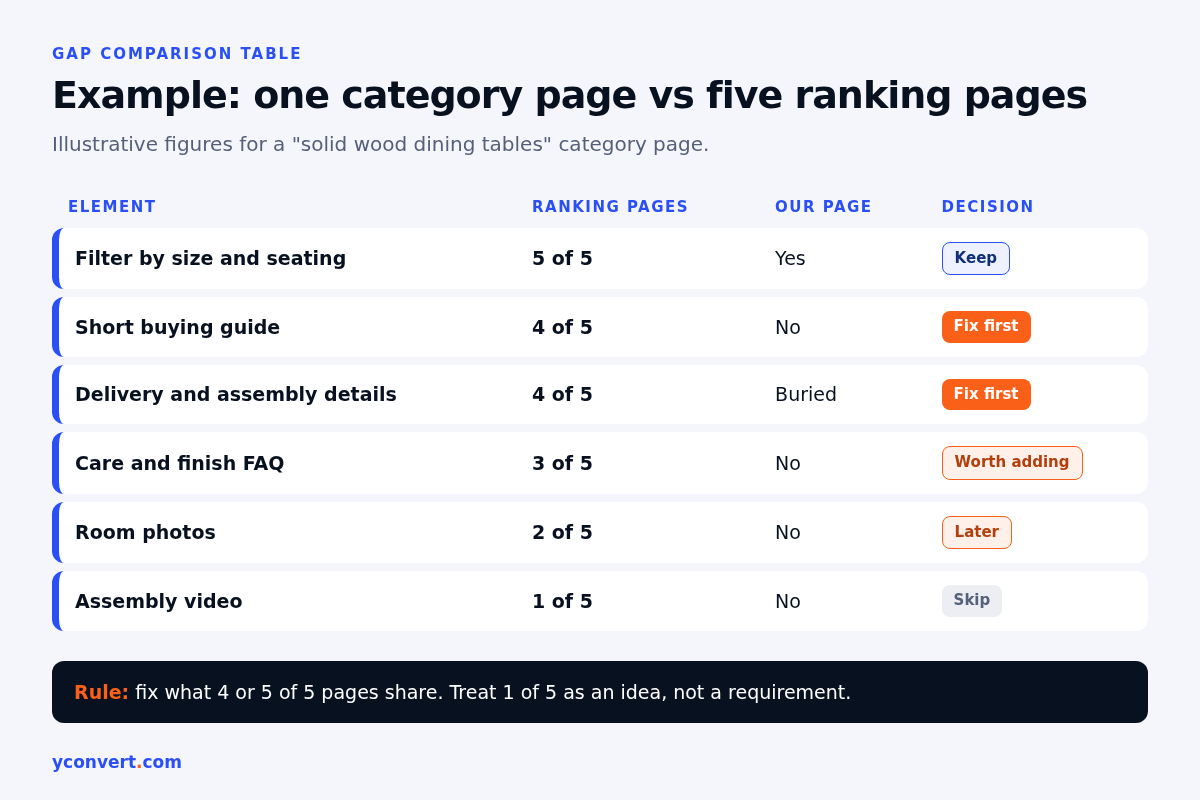
Here’s an illustrative version for a different industry, so you can see the shape. Imagine an online furniture store with a category page for “solid wood dining tables”, compared against five ranking category pages. The figures are made up for the example, not from any real results page.
| Element | Ranking pages that have it | Our page | What I’d do |
|---|---|---|---|
| Filter by size and seating | 5 of 5 | Yes | Nothing |
| Short buying guide above or below the grid | 4 of 5 | No | Add 150 to 250 words on wood types and sizing |
| Delivery and assembly details | 4 of 5 | Buried in footer | Surface it near the top |
| Care and finish FAQ | 3 of 5 | No | Add three or four real questions |
| Room photos, not just cut-outs | 2 of 5 | No | Nice to have, add later |
| Video of the table being assembled | 1 of 5 | No | Skip for now |
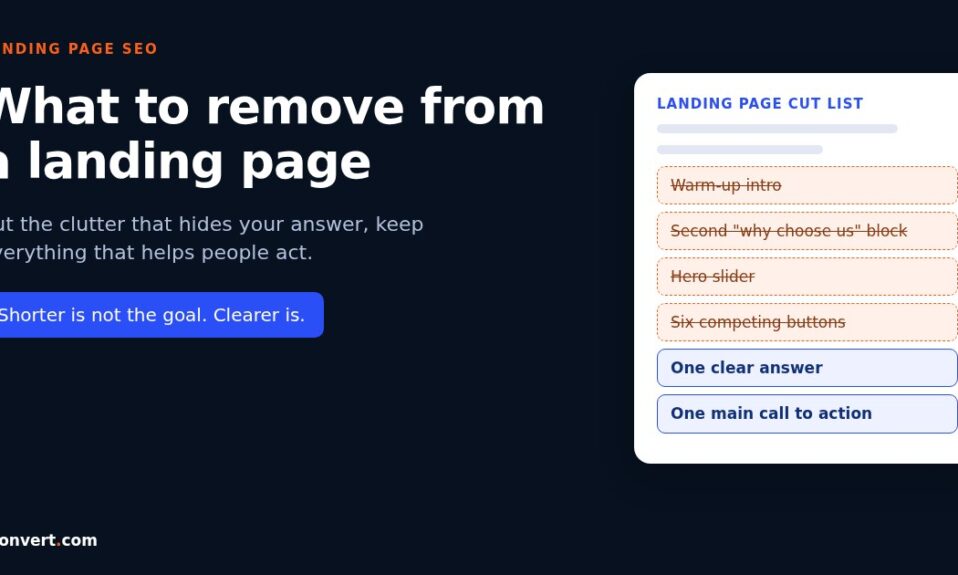
Read the last column, not the middle one. The table is a decision tool. If you add every single thing every competitor has, you end up with a bloated page that’s a blend of five other pages, and that’s not a reason for anyone to rank it.
The three kinds of gaps I look for
Not every gap is a missing heading. I sort what I find into three buckets.
Coverage gaps. Subtopics most ranking pages answer and you don’t. For the termite page, that’s usually what changes the price: size of the property, how bad the infestation is, the treatment method, follow-up inspections. If four competitors explain it and you just say “call for a quote”, that’s the gap.
Format gaps. Same information, worse shape. The competitors put prices in a table and you’ve got them in a paragraph. They use numbered steps for the process; you use one long block. Search systems and AI answers lift clean, self-contained chunks much more easily than long prose. In my experience this is the cheapest gap to close and one of the most rewarding.
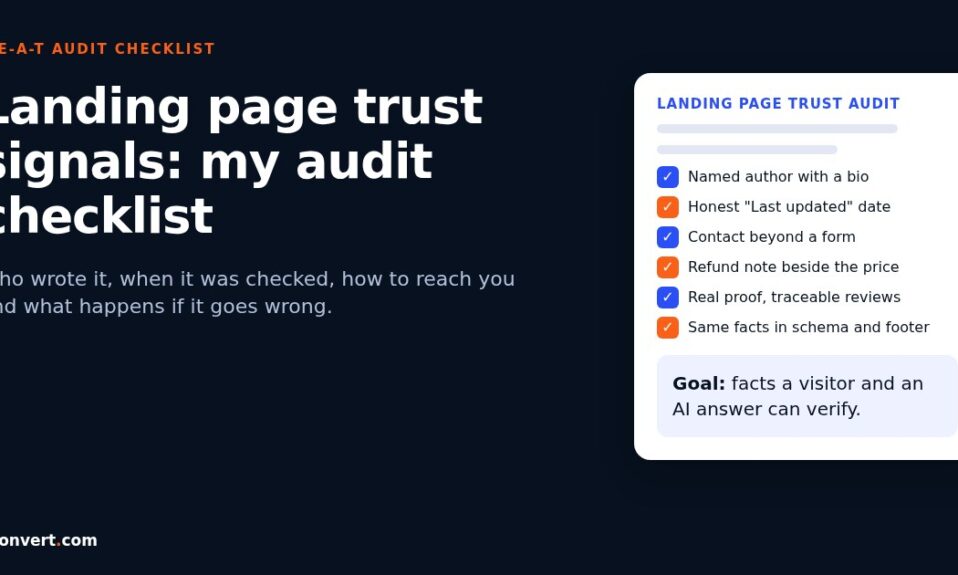
Proof gaps. This is the one people skip. Ranking pages often show things your page doesn’t: a licence number, a guarantee period, real photos from jobs, an author or technician name, a last-updated date. None of it is a heading. All of it changes how much a reader, and a search system, trusts the page.
There’s a fourth thing I watch for, and it’s not really a gap. Sometimes you’ll spot a question none of the five pages answers well. That’s your differentiation. I’d rather close two coverage gaps and add one answer nobody else gives than copy the whole consensus.
Where people go wrong
A few mistakes I keep running into.
Comparing against the wrong pages. If your keyword pulls up a booking page for an event venue, comparing it against long blog guides gives you a list of “gaps” that would ruin a booking page. Compare like with like.
Treating competitor headings as a template. You’re looking for what searchers need, not for a heading order to clone. Rewrite every addition in your own words, from your own experience.
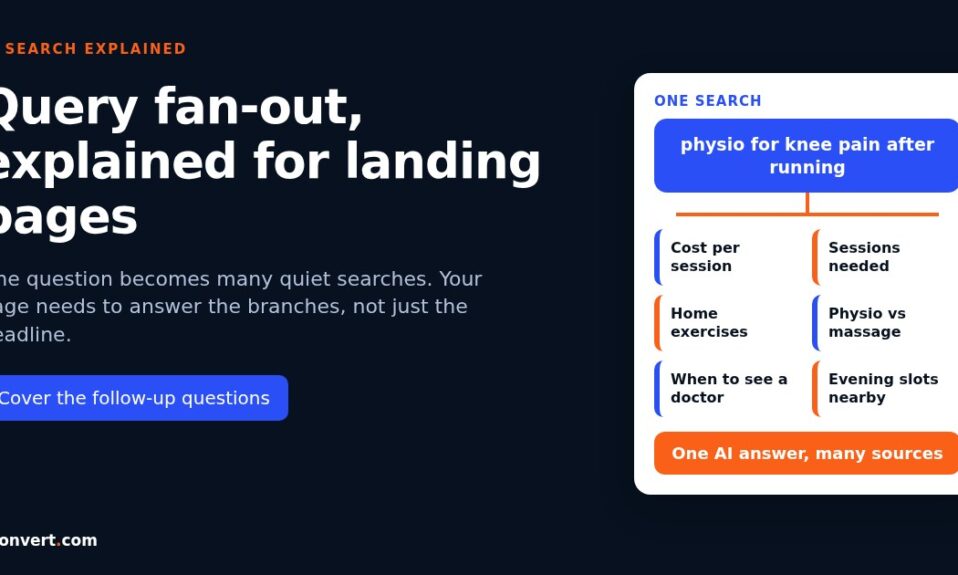
Ignoring the AI answer. If an AI Overview appears for your keyword, read which sources it cites and what each one was used for. Often the cited page answered one narrow sub-question in two clear sentences. That’s a gap too, and it ties directly into how query fan-out works for landing pages. If you want to track it properly, here’s how I check if AI Overviews cite your page.
Doing it once. Results shift. I rerun the analysis for a money page every few months, or straight after a ranking drop.
After the gaps: fixing in the right order
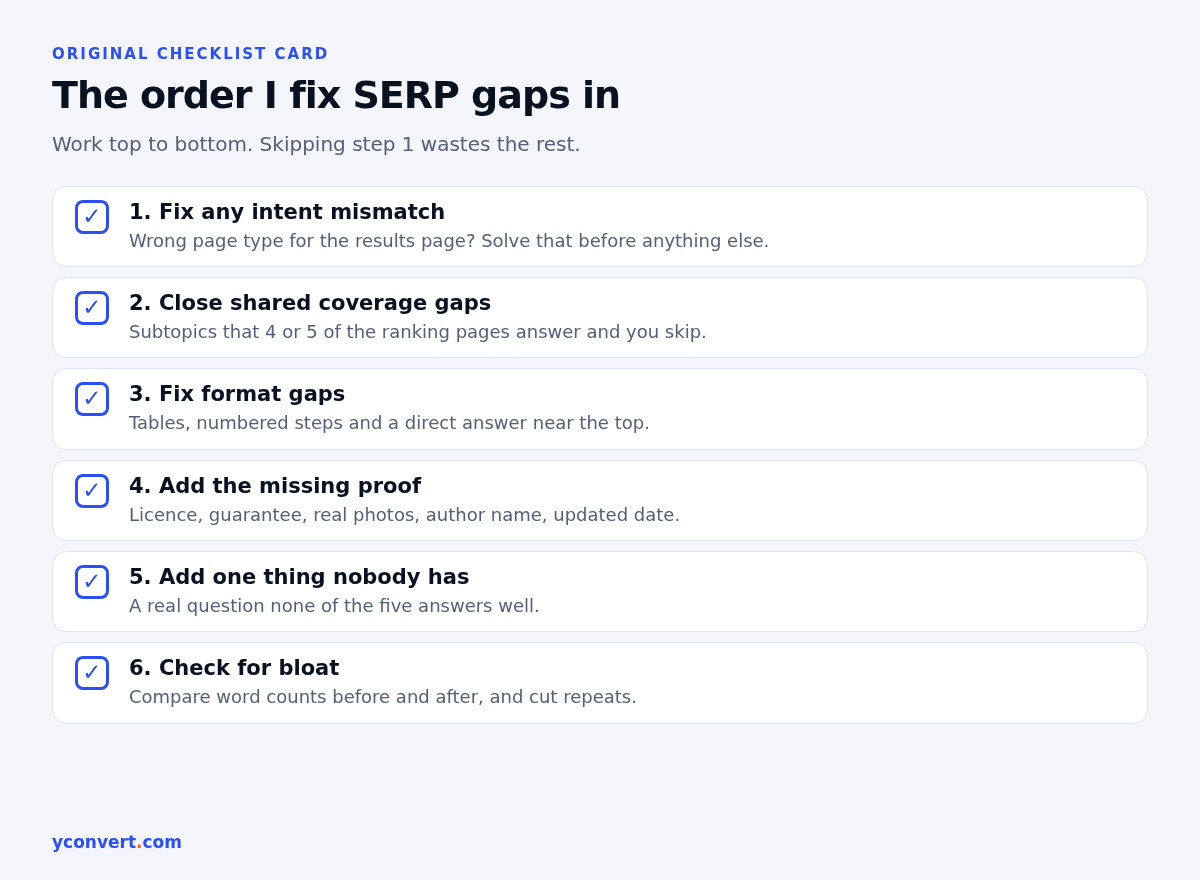
I fix in this order, and I rarely change it:
- Intent mismatch (wrong page type for the results page)
- Coverage gaps that four or five competitors share
- Format gaps, especially tables and direct answers near the top
- Proof gaps
- One genuine addition nobody else has
Then I check the page didn’t get bloated in the process. I paste the main content into the word counter to compare before and after, and to spot paragraphs that ballooned. If the page grew a lot, I look for sections that repeat themselves and cut them. Then I run through the rest of my landing page SEO audit checklist so the technical basics aren’t the thing holding it back.
Want the comparison done for you?
Doing this by hand is worth it at least once, because you learn how your market really writes. After that, it’s mostly copying and counting. Our AI SEO and AEO audit tool takes one page URL and one keyword and gives you a competitor gap report alongside AI citation visibility, schema and internal link checks. Your first report is free with 1 credit. After that it’s $2 per report, or 10 reports for $15 and 20 for $20.
FAQ
What is a SERP gap analysis?
It’s a comparison between your page and the pages ranking for one keyword. You list what the ranking pages cover, how they present it and what proof they show, then mark what your page is missing.
How many competitors should I compare?
Five is enough for most keywords. Fewer can mislead you, and more mostly repeats what you’ve already found. Pick pages of the same type as yours.
Is a SERP gap analysis the same as a keyword gap analysis?
No. A keyword gap analysis looks at which keywords competitor domains rank for that you don’t. A SERP gap analysis looks at one results page and what the ranking pages do that yours doesn’t.
Should I copy every heading the top pages use?
No. Cover the subtopics most ranking pages share, in your own words, and skip anything that doesn’t fit your page’s purpose. Add at least one useful answer the others leave out.
Can I do a SERP gap analysis without paid tools?
Yes. A private browser window, a spreadsheet and the live results page are enough for one keyword. Tools mostly save time on the collecting and counting.