Last updated: 27 November 2026
Thin content leaves the searcher’s question half answered, so they go back to the results to finish the job. Bloated content does answer it, but buries the answer under padding, repetition and sections nobody asked for. The quickest way to tell which one you have is to write down the three or four questions a visitor arrives with, then read your page and mark where each one gets answered. Missing answers mean thin. Answers that are there but take ages to reach mean bloated. Word count alone won’t tell you, because a short page can be complete and a long page can still be thin.
I run this check on almost every audit now. Most pages fail one way or the other, and the fix is close to opposite for each, so getting the diagnosis right first saves a lot of wasted rewriting.
What thin content actually means
Thin content is a page that doesn’t give enough original, useful substance for the query it targets. Google’s own guidance on helpful content asks whether a page gives a substantial, complete description of its topic and whether it adds value compared to other pages in the results. A thin page fails both.
It’s rarely about length. I’ve seen thin pages at 1,500 words. The usual suspects:
- Service pages that say “we offer X” and then list five generic benefits that would fit any business.
- City or area pages that are the same page with the place name swapped.
- Category pages with a product grid and nothing that helps someone choose.
- Posts that summarise what everyone else already said, with nothing new added.
- Pages written to hit a number. Google has said plainly that it doesn’t have a preferred word count.
Say a veterinary clinic has a page for dog dental cleaning. It has a headline, two lines about “keeping your pet’s smile healthy”, and a booking button. A worried owner wants to know whether their dog needs anaesthetic, how long it takes, what happens before and after, and roughly what it involves. None of that is on the page. That’s thin, and no amount of keyword tweaking will fix it.
What bloated content looks like
Bloated content is the opposite problem. The answer exists, but the reader has to dig for it. This is the version that grows when people hear “longer content ranks better” and start padding.
Signs I look for:
- A warm-up intro that restates the headline for three paragraphs.
- The same point made in two or three sections with different wording.
- A “what is X” section on a page where every visitor already knows what X is.
- FAQs that repeat the body text word for word.
- Huge blocks of keyword-heavy text stuck under a product grid, written for crawlers, not shoppers.
An online furniture store’s sofa category is a classic case. The grid is fine. But below it sits a long block about “the history of the sofa” and “why choosing the right sofa matters”, stuffed with the category keyword. A shopper wants to filter by size, fabric and delivery time. Nobody reads the history block, and it makes the page look less like a shop and more like an article that lost its way.
Thin vs bloated at a glance
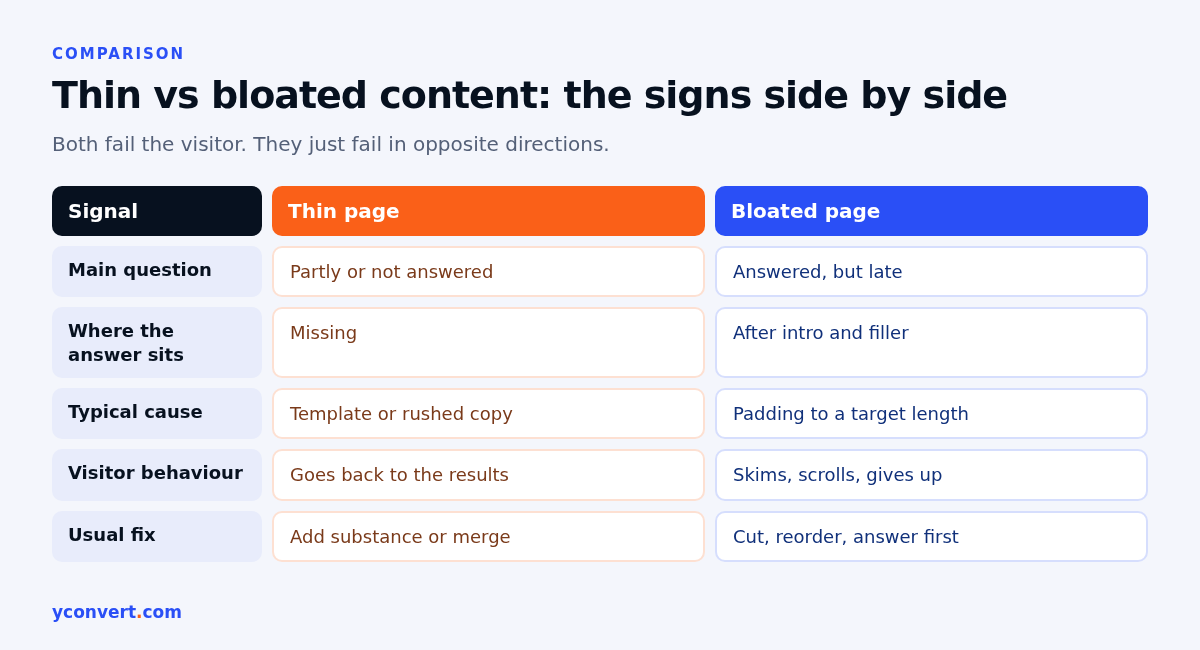
| Signal | Thin page | Bloated page |
|---|---|---|
| Main question answered? | Partly or not at all | Yes, but late |
| Where the answer sits | Missing | Below the fold, after filler |
| Typical cause | Template pages, rushed copy, writing to a minimum | Padding to a target length, merged drafts, keyword blocks |
| How visitors behave | Go back to the results for more | Scroll hunting, skim, give up |
| Search Console clue | Often stuck as not indexed, or shows for very few queries | Ranks for broad terms but loses clicks on specific ones |
| Usual fix | Add real substance, or merge with a stronger page | Cut, reorder, answer first |
The behaviour row is an interpretation, not a measurement you can read off one report. I treat it as a hint and confirm with the page itself.
How I tell which one a page has
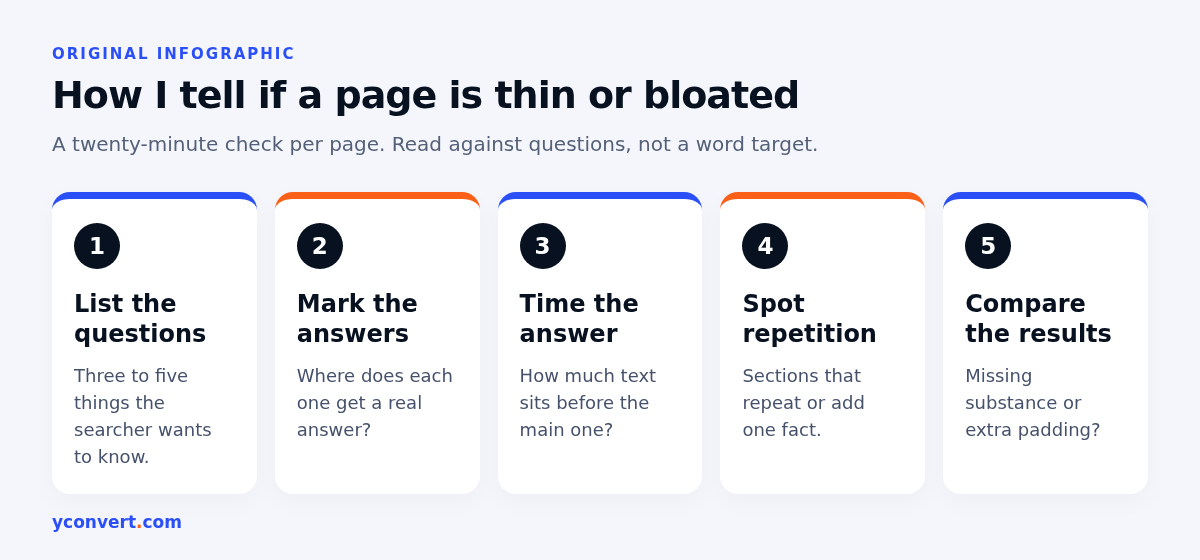
This takes me about twenty minutes per page. No special tools needed, though a word counter and a look at the search results help.
1. Write down the visitor’s questions
Before reading the page, I list the questions someone has when they search the target keyword. Three to five is enough. I pull them from the search results themselves: the questions people also ask, the headings competing pages use, and what the top results agree on. If you want a structured way to do that, my SERP gap analysis walkthrough covers it for one keyword.
2. Mark where each question is answered
Now I read the page and note the first place each question gets a real answer, not a mention. If two of the five never get answered, the page is thin for that query. Simple as that.
3. Measure how long it takes to get there
For the questions that are answered, I check how much text sits before the answer. If the main question isn’t answered in the first screen or so, I suspect bloat. A page that opens with a direct answer and then expands is almost never bloated, even when it’s long. I wrote about that opening pattern in how to write an answer-first paragraph.
4. Look for repetition
I paste each section into a word counter and note its length next to what it actually adds. A 400-word section that adds one new fact is a red flag. The word counter guide explains how I use counts as an editing aid rather than a target. Sections that say the same thing twice get flagged for merging.
5. Compare with what already ranks
Last, I compare against the pages currently ranking. Not to copy their length, but to see what substance they include that mine lacks, or what padding mine has that they skip. If every top result explains a process step by step and my page doesn’t, that’s a gap. If they’re all tight and mine is double the length with the same facts, that’s bloat.
The awkward case: a page that is both
Plenty of pages are thin and bloated at the same time. Long, but empty. Lots of words about the topic in general, almost nothing specific to the question.
Take a language school’s page for an exam preparation course. It runs long. There’s a section on why learning languages matters, a section on the school’s philosophy, and a big paragraph about the benefits of studying abroad. What’s missing? Course length, class size, the level you need to start, how the mock tests work, and what happens if you don’t pass. So the page is bloated with general material and thin on the facts that decide a booking.
My fix for these is always the same order: cut first, then add. Strip the generic sections, which usually halves the page, then fill the real gaps with specifics. Doing it the other way round just makes a longer page.
What to do with each result
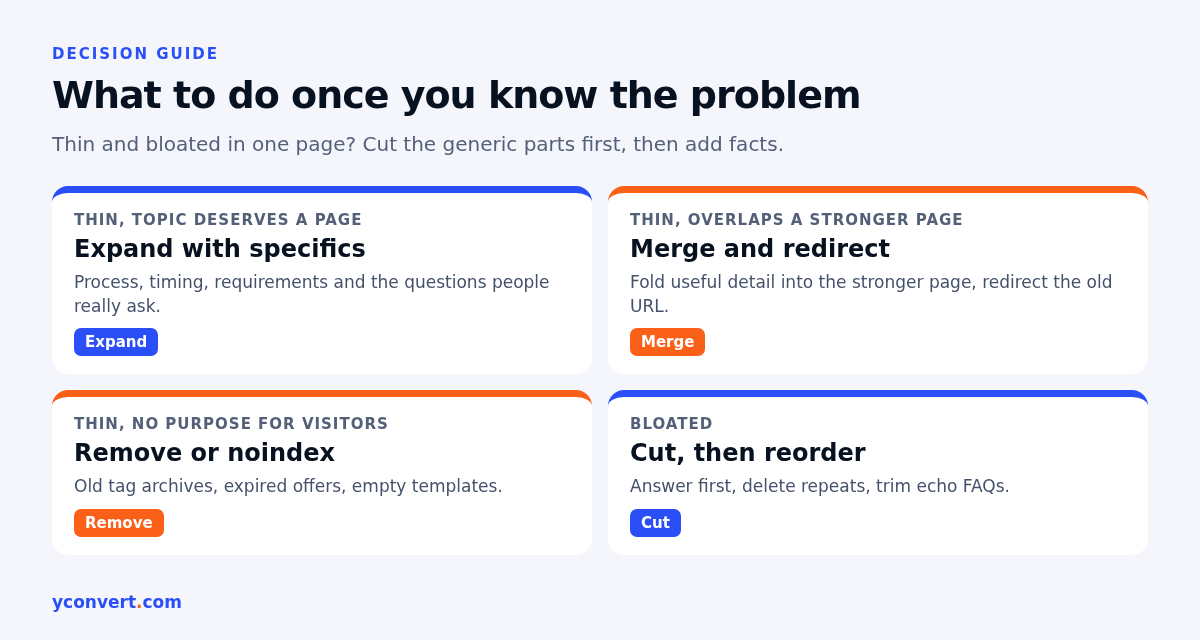
Once I know the problem, the fix is fairly mechanical.
If the page is thin and the topic deserves its own page, I expand it with the specifics from step 1: process, requirements, timing, what’s included and what isn’t, and the questions people really ask. Original detail beats more general text every time.
If the page is thin and overlaps a stronger page, I merge it into that page and redirect the old URL. This is common with near-duplicate area pages. Say a catering company has twelve city pages with identical text. Unless each city has genuinely different menus, delivery rules or venues, one solid service page that lists the areas covered usually serves people better than twelve copies.
If the page is thin and has no search purpose at all, such as an old tag archive or an expired promotion, I either remove it or keep it out of the index, depending on whether people still land on it.
If the page is bloated, I cut. I have a separate post on what to remove from a landing page with the exact sections I look at first. The short version: move the answer to the top, delete repeated points, fold the useful bits of any history or “why it matters” section into one sentence, and trim FAQs that just echo the body.
Mistakes I see people make
- Fixing thin pages by adding filler. A thin page with 600 extra generic words is now a bloated thin page. Add facts, not paragraphs.
- Cutting a bloated page so hard it becomes thin. Trim the padding, keep the substance. If a section answers a real question, it stays, even if it’s long.
- Using word count as the verdict. Count is a symptom checker. The diagnosis comes from reading against the visitor’s questions.
- Treating every short page as a problem. A contact page or a simple calculator page can be short and complete. Thin means short of what the query needs, not short in general.
- Fixing everything at once. I start with the pages that matter to the business: service pages, top categories, pages that used to bring traffic. Low-value pages can wait.
Get a second opinion on one page
If you’d rather not run this by hand, our AI SEO and AEO audit tool reviews one page URL against one keyword and flags thin or over-padded sections along with answer clarity, schema and competitor gaps. Your first report is free with 1 credit. After that it’s $2 per report, or 10 reports for $15 and 20 for $20.
FAQ
What is thin content in SEO?
Thin content is a page that doesn’t give enough original, useful substance for the search it targets. Common examples are template pages with swapped place names, generic service pages and posts that only summarise other sources. It’s about missing substance, not low word count.
Is long content always better for SEO?
No. Google has said it doesn’t have a preferred word count. A long page that buries its answer under padding can serve people worse than a short page that answers directly and completely.
How do I know if my page is bloated?
List the questions a visitor arrives with and check how quickly the page answers each one. If the main answer sits below several paragraphs of introduction, or the same point appears in more than one section, the page is likely bloated.
Should I delete thin content or improve it?
Improve it if the topic deserves its own page and you can add real detail. Merge it into a stronger page if it overlaps one, and redirect the old URL. Remove it or keep it out of the index only if it has no purpose for visitors.
Can a page be thin and bloated at the same time?
Yes, and it’s common. The page is long because of generic sections, but it still misses the specific facts people need. Cut the generic material first, then add the missing specifics.