Last updated: 26 November 2026
A Google Business Profile description that AI can use is a short, plain summary of what you do, who you do it for, where you work and what makes you different, written in sentences a stranger could repeat back. Keep it under the 750-character limit, leave out links, prices and promotions, and make sure every claim matches your website and the rest of your profile. Vague praise like “trusted, friendly, best in town” gives an AI answer nothing to quote. Specific facts do.
That’s the whole idea. The rest of this post is how I actually write these for local businesses, what I cut, and how I check whether the new version is doing anything.
What the description field is actually for
The business description is the text that shows in the “From the business” section of your profile. Google’s own help pages are fairly clear about it. Describe what you offer, what makes you special, how long you’ve been around and anything else customers would find useful.
The rules are short too:
- No more than 750 characters.
- No URLs and no HTML.
- Focus on the business, not on promotions, prices or sales.
- Nothing irrelevant, gimmicky or misspelled.
Break those and the edit can be rejected. Push it further and you’re looking at a profile problem, not a wording problem.
Here’s what I find interesting. Most owners treat this box as a slogan. They write one line, sometimes two, and move on. But the field is one of the few places on a profile where you get to explain the business in your own words. Categories, hours and attributes are boxes you tick. The description is the only part that reads like a person talking.
What AI can use from your description
When someone asks an AI search tool a local question, the answer usually leans on a mix of sources: your profile details, your reviews, your website and whatever else describes you online. I don’t treat the description as a ranking lever. I treat it as a clean, owner-written summary that helps everything else make sense.
So what in that summary is useful? Facts that answer questions. Think about the questions a real customer asks before they call:
- Do you do the specific job I need?
- Do you come to me, or do I come to you?
- Do you work with my type of car, home, pet or problem?
- How does the process work?
- Why you and not the place down the road?
A description that answers three or four of those, in plain words, gives an answer engine something to repeat. A description that says “we pride ourselves on excellence” gives it nothing. There’s no fact in that sentence. Nothing to match against a question.
I think of it like this. If an assistant had to describe your business in one sentence using only your description, would that sentence be accurate and specific? If not, rewrite.
Where each fact belongs on the profile
The description shouldn’t carry everything. A lot of owners cram hours, phone numbers and service lists into it because they don’t trust the other fields. That’s backwards. Put structured facts in structured fields, then use the description to tie them together.
| Fact | Best place on the profile | Mention in the description? |
|---|---|---|
| Opening hours | Hours and special hours | No, unless something is unusual, like by appointment only |
| Main type of business | Primary category | Yes, in plain words in the first sentence |
| Individual services | Services or products section | Name the main few, don’t list every one |
| Areas you cover | Service area | Yes, briefly, in natural language |
| Prices and offers | Services, posts or your website | No, the guidelines say focus on the business |
| Phone, website, booking link | Contact fields | No, links aren’t allowed in the description |
| Years in business, qualifications | Description | Yes, these are good, specific claims |
Once the boxes are filled, the description has room to say what the boxes can’t: who you’re best for, how you work, and what you’ve been doing for years.
How I write a description in five steps
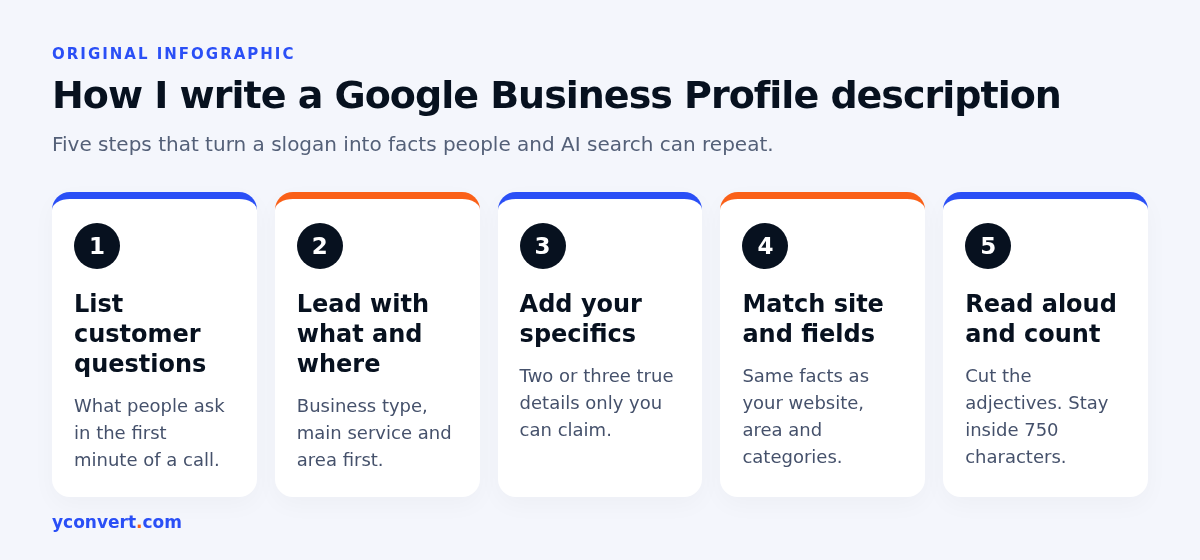
1. Start with the questions customers ask
Before writing anything, I ask the owner (or whoever answers the phone) what people ask in the first minute of a call. A tree surgeon might hear “Do you remove stumps too?” and “Do you handle permission for protected trees?” over and over. Those are the facts that should be in the description, because they’re the facts people search for.
2. Lead with what you do and where
The first sentence carries the most weight. I write it so it would still make sense if it were the only line anyone read. Business type, main service, area. That’s it.
“Independent optician in the old town offering eye tests, contact lens fittings and children’s eye care” works. “Welcome to our family!” does not.
3. Add the specifics only you can claim
This is where most descriptions are thin. Generic businesses sound identical. What makes yours different is usually something small and concrete: you’ve been running for twenty years, you specialise in older vehicles, you do home visits, you work evenings, your team holds a particular qualification. Pick two or three. True ones only.
4. Match your website and the other fields
If the description says you cover three towns and the service area lists five, that’s a mismatch. If the website says you were founded in one year and the description says another, same problem. Small conflicts make it harder for any system to trust what it reads. I check the description against the website’s home page, about page and contact page before saving. I wrote more about why consistent facts matter in my landing page trust signals checklist.
5. Read it aloud, then count
Read it out loud. If it sounds like an advert, cut the adjectives. If it sounds like a list, turn it back into sentences. Then count characters, spaces included, and stay well inside 750. You don’t have to use all of it. A tight 500-character description that’s all facts beats a padded full one.
A before and after for an auto body repair shop
Here’s an illustrative example. Say an auto body repair shop has this description:
“Best body shop in town! Quality work, great prices, friendly staff. Call today for a free quote and 10% off!”
It breaks the rules (a promotion and a price claim) and it says almost nothing. Which repairs? Which vehicles? Where?
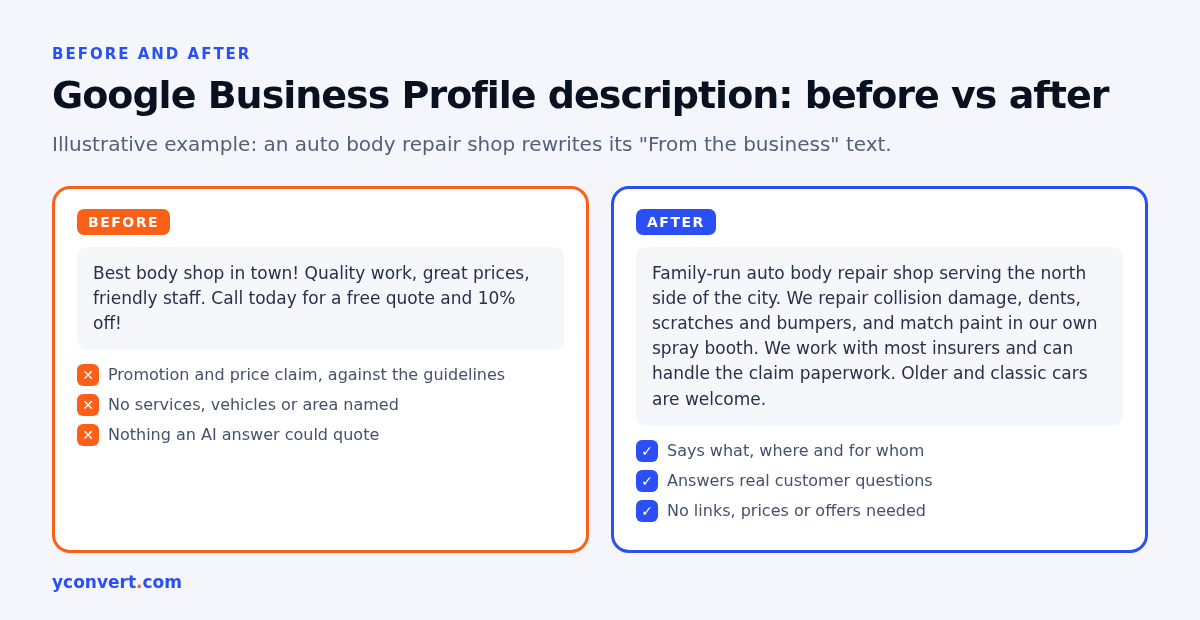
A rewrite might look like this:
“Family-run auto body repair shop serving the north side of the city since 2009. We repair collision damage, dents, scratches and bumpers, and we match paint in our own spray booth. We work with most insurers and can handle the claim paperwork for you. Older and classic cars are welcome, and we’ll explain every repair before we start. Drop-off is by appointment so your car is looked at the same day it arrives.”
Every sentence there answers a question someone might ask an assistant: do they do paint matching, do they deal with insurance, will they work on an older car. It’s under 450 characters. And nothing in it needs a link to make sense.
The details have to be true for the business, of course. If the shop doesn’t have its own spray booth, that line goes.
Mistakes I see most often
Keyword stuffing. “Optician, eye test, glasses, eye doctor, cheap glasses near me.” It reads badly to humans and it isn’t how people describe a business. Write sentences.
Copying the website’s about page. The about page often starts with the founder’s story. That’s fine on the site, but in 750 characters the story pushes out the useful facts. Lead with the service, then add a line of history.
Promotions and prices. Seasonal offers belong in posts or on your website. The description should still be accurate in six months.
Claims you can’t back up. “Award-winning” with no award named, “24/7” when nobody picks up at night. If a customer finds the claim isn’t true, that ends up in a review, and reviews get read too.
Writing it once and never again. A children’s swim school that added adult lessons two years ago and never updated the profile is quietly telling every system it doesn’t teach adults.
Should you use the AI-written description?
Google offers an AI option for creating a business description in some regions and languages. I don’t mind it as a first draft. It’s quick, and it can be a good prompt if you’re staring at a blank box.
But I never publish one untouched. Drafts like that tend to lean on general phrases, and they can’t know the things only you know: the jobs you turn down, the area you actually cover, what customers thank you for. Use the draft for structure, then replace every general phrase with a fact.
How I check whether it’s working
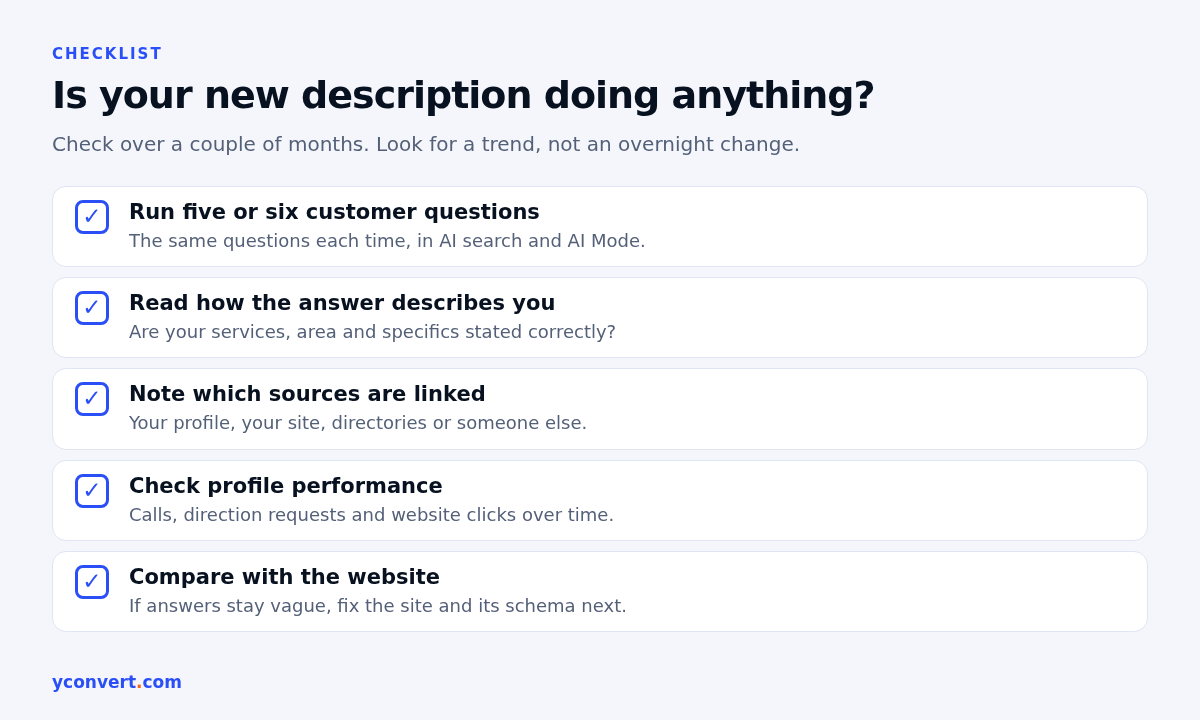
There’s no single report that tells you “your description got used”. So I check a few things over a couple of months instead of expecting a quick result.
First, I write down five or six questions a customer would really ask, the same ones from step one. I run them in AI search and look at what the answer says about the business and which sources it links. My process for that is in how to check if AI Overviews cite your page.
Then I look at the profile’s own performance numbers for calls, direction requests and website clicks, and at whether the wording in answers starts to match the facts I added. If answers still describe the business vaguely, the problem is often the website, not the profile. In that case I go back to the basics in local SEO vs AEO: what to fix first, and check that the site’s structured data says the same thing, which I cover in LocalBusiness schema mistakes.
Check the page your profile points to
A good description sends people to your website, so that page needs to back up every claim. If you’d like a second opinion, our AI SEO and AEO audit tool reviews one page URL against one keyword, covering answer clarity, schema, competitor gaps and AI citation visibility. Your first report is free with 1 credit. After that it’s $2 per report, or 10 reports for $15 and 20 for $20.
FAQ
How long can a Google Business Profile description be?
Up to 750 characters, including spaces. You don’t need to use all of it. A shorter description made entirely of specific facts usually works better than a padded one.
Can I put links or prices in my business description?
No. Google’s guidelines don’t allow links of any type in the description, and the text should focus on the business rather than promotions, prices or sales. Put offers in posts or on your website instead.
Does the business description help with ranking?
I don’t treat it as a ranking lever. Its value is in giving people and AI search tools a clear, owner-written summary of what you do, who you serve and where, which supports the rest of your profile and website.
Should I add keywords to my description?
Use the words customers use, in normal sentences. Naming your main services and area is natural. Repeating keyword phrases or listing search terms reads badly and doesn’t describe the business any better.
How often should I update my Google Business Profile description?
Whenever something real changes, such as a new service, a new area or a change in how you work. I also reread it every few months to check it still matches the website and the other profile fields.